106 Heat Sink
9
Remove the display assembly (see "Removing the Display Assembly" on
page 55).
10
Remove the Mini-Card(s) (see "Removing the Mini-Card(s)" on page 21).
11
Follow the instructions from step 9 to step 14 in "Removing the Top
Cover" on page 83.
12
Turn the top-cover assembly over.
13
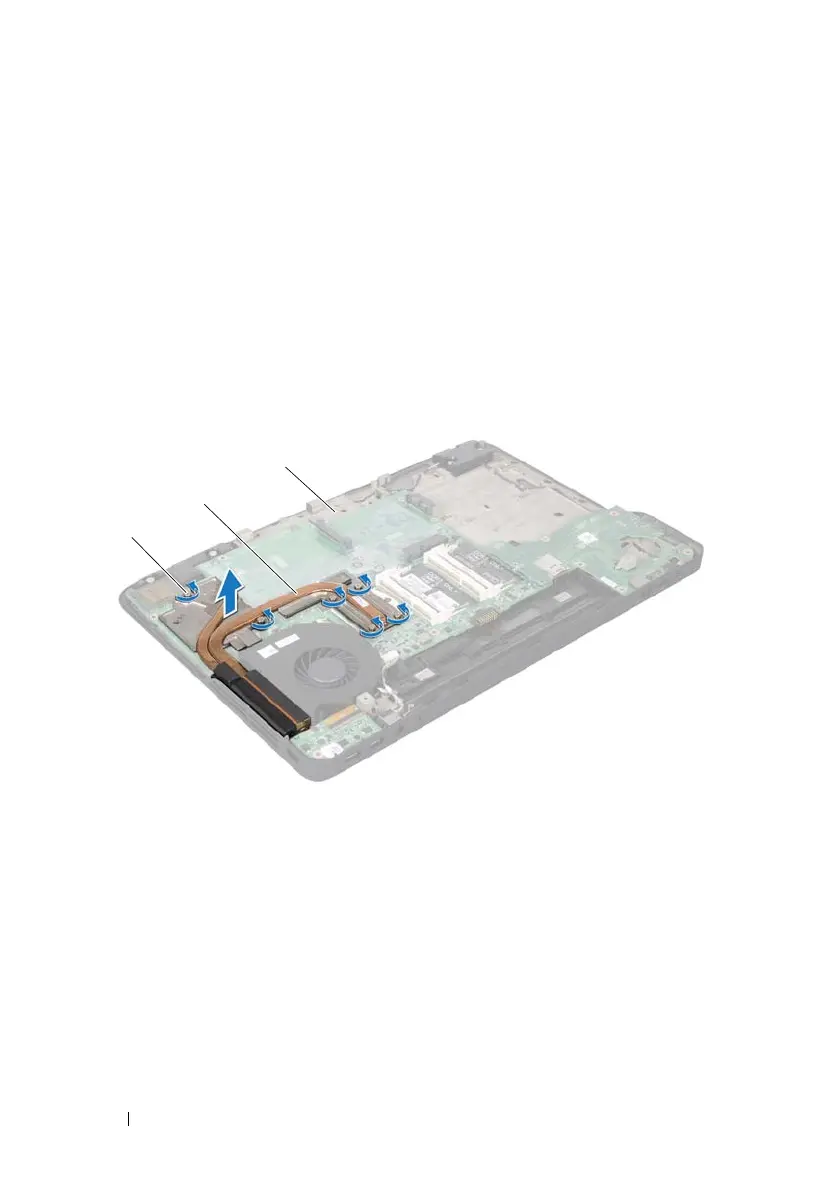
In sequential order (indicated on the heat sink), loosen the six captive
screws that secure the heat sink to the system board.
14
Lift the heat sink away from the top cover.
1 captive screws (6) 2 heat sink
3 top cover
book.book Page 106 Wednesday, April 25, 2012 2:11 PM



 To Next Page