112 Processor Module
11
Follow the instructions from step 9 to step 14 in "Removing the Top
Cover" on page 83.
12
Turn the top-cover assembly over.
13
Remove the heat sink (see "Removing the Heat Sink" on page 105).
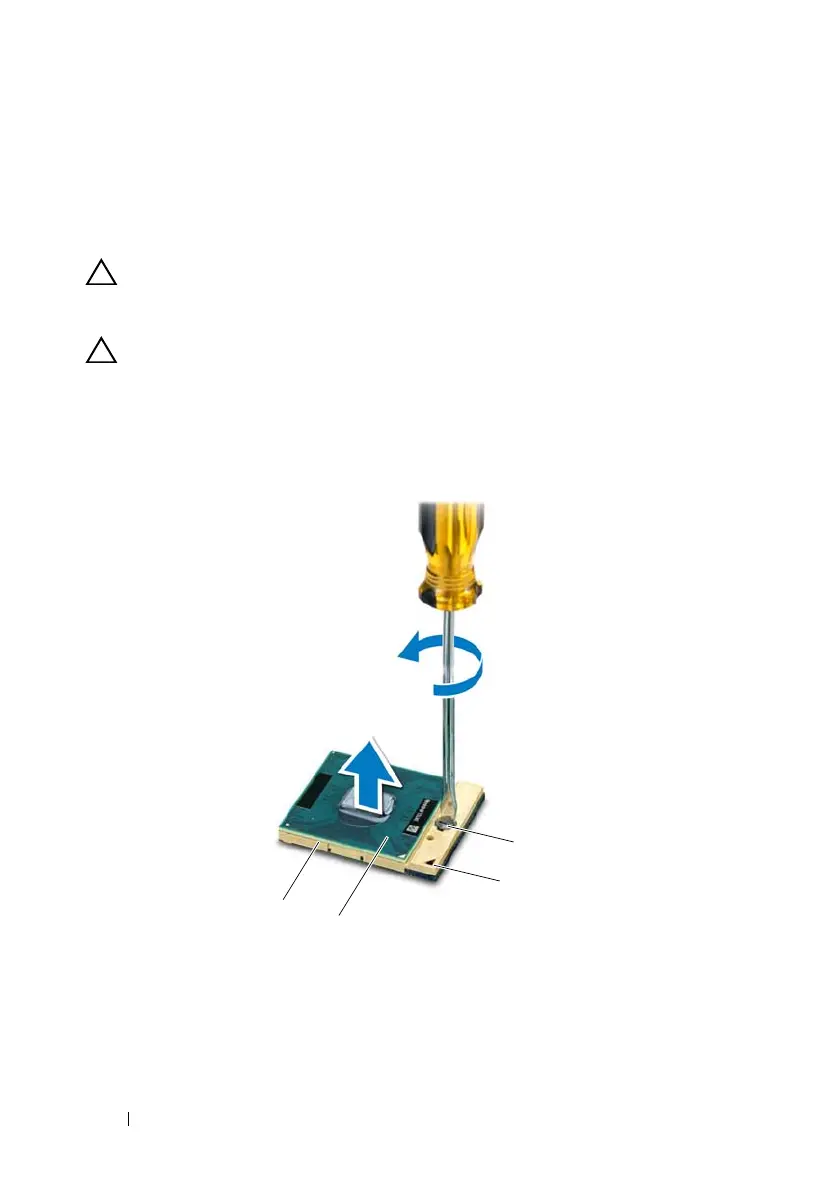
CAUTION: To prevent intermittent contact between the ZIF-socket cam screw
and the processor when removing or replacing the processor, press to apply slight
pressure to the centre of the processor while turning the cam screw.
CAUTION: To avoid damage to the processor, hold the screwdriver so that it is
perpendicular to the processor when turning the cam screw.
14
To loosen the ZIF socket, use a small, flat-blade screwdriver and rotate the
ZIF-socket cam screw counterclockwise until it comes to the cam stop.
book.book Page 112 Wednesday, April 25, 2012 2:11 PM



 To Next Page