Display 57
12
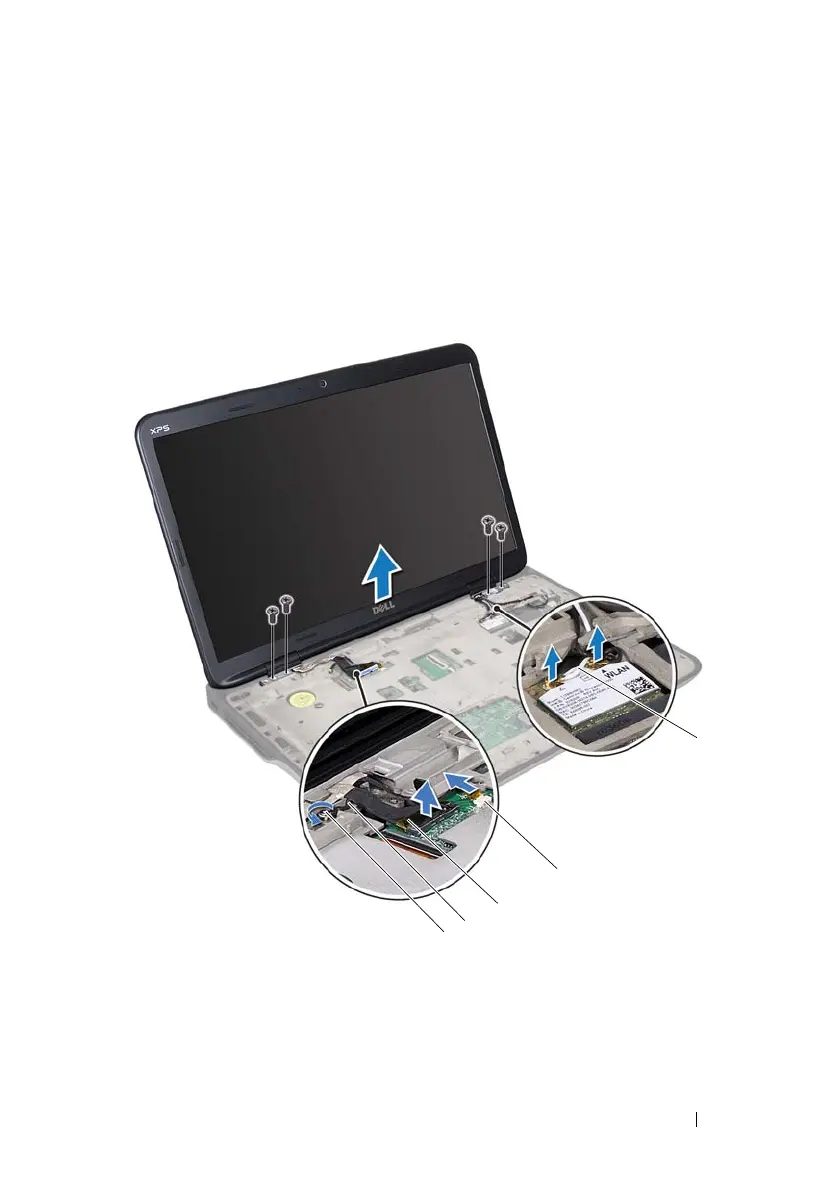
Loosen the captive screw that secures the display grounding cable to the
top cover.
13
Pull the pull-tab to disconnect the display cable from the system-board
connector.
14
Note the routing of the display cable and remove the cable from the
routing guides.
1 captive screw 2 display grounding cable
3 display cable 4 touch-screen cable connector
5 antenna cables (2)
book.book Page 57 Wednesday, April 25, 2012 2:11 PM



 To Next Page