Steps
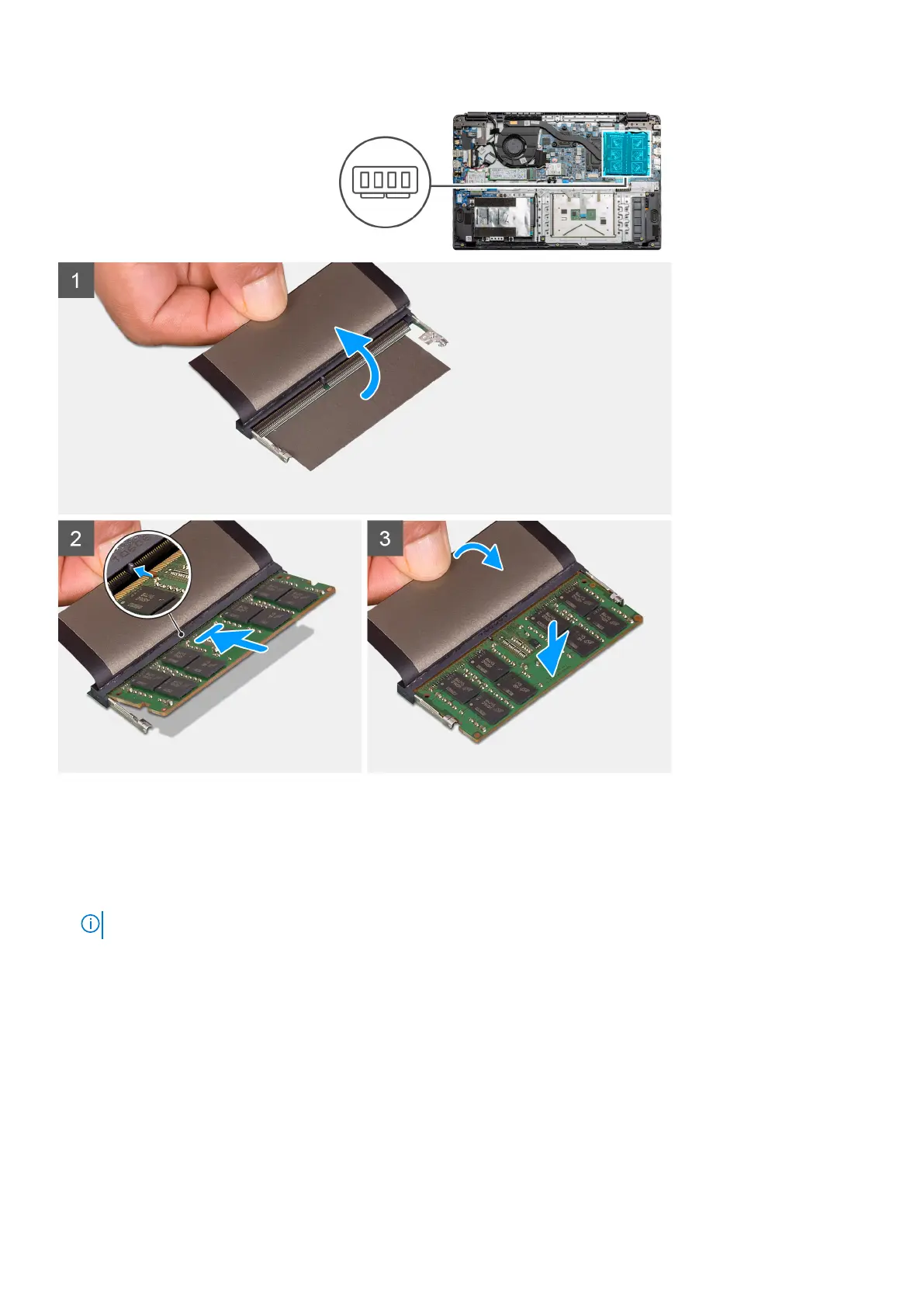
1. Peel back the adhesive cover from over the memory slot.
2. Align the notch on the memory module with the tab on the memory module slot.
3. Slide the memory module firmly into the slot at an angle.
4. Press the memory module down until it clicks into place.
NOTE: If you do not hear the click, remove the memory module and reinstall it.
Next steps
1. Install the battery.
2. Install the base cover.
3. Install the SD Card.
4. Follow the procedure in After working inside your computer.
Disassembly and reassembly
25



 To Next Page