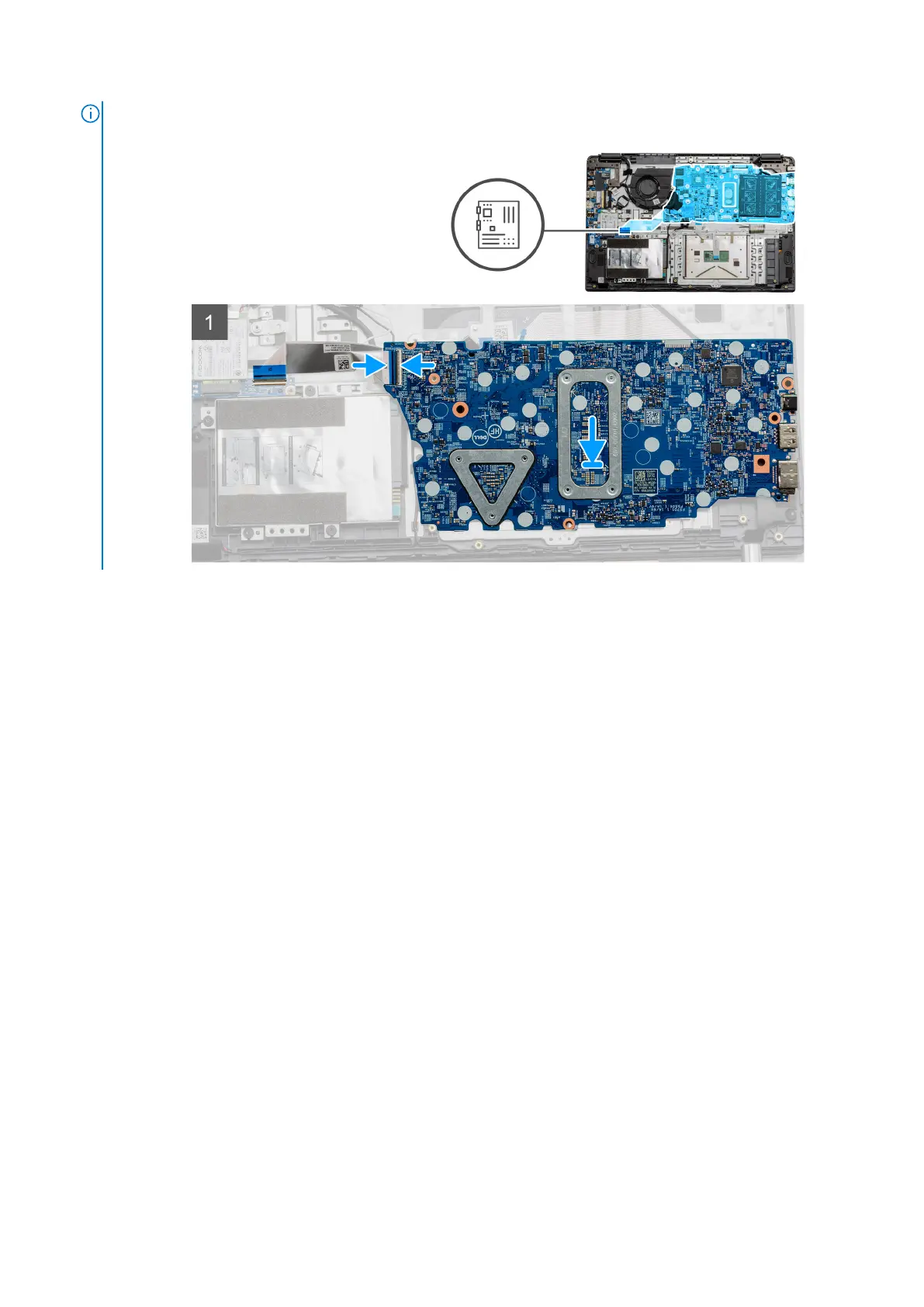
NOTE: For systems configured with a WWAN card, you must connect
the cable from WWAN daughterboard to the connector on the
systemboard.
2. Fold the right hinge back, install the two (M2.5x5) and one (M2.5x4) to secure the hinge in place.
3. Connect the fan connector back to the system board.
4. Connect the IO board cable to the system board.
5. Connect the LCD cable back to the system board and fold the adhesive tape back onto the LCD connector.
6. Connect the DC-in port connector back to the system board and fold the adhesive tape back onto the DC-in connector.
7. Place the metal shield onto the USB port module.
8. Install the two (M2x5) screws to secure the metal shield.
9. Connect the following cables in the following order (left - right): Speaker, Touchpad, USB, Battery, Keyboard.
Next steps
1. Install the Heatsink.
2. Install the WLAN card.
3. Install the WWAN card.
4. Install the Solid state drive.
5. Install the memory module.
6. Install the battery.
7. Install the base cover.
8. Install the SD Card.
9. Follow the procedure in After working inside your computer.
IO Board
Removing the IO Board
Prerequisites
1. Follow the procedure in before working inside your computer.
2. Remove the SD Card.
3. Remove the base cover.
60
Disassembly and reassembly



 To Next Page