32 │ About your monitor
To support MacOS Multi-touch feature, please install the driver as below guide:
UPDD driver installation
Install Mac Multi Touch Driver available for your system. This is available for
download at www.dell.com/support under the “Driver and download” section.
UPDD Quick installation guide, please refer to the following link:
https://support.touch-base.com/Documentation/50245/Quick-
installation-guide?Keywords=quick+installation
Wake On Touch (WOT) in S0 or modern standby (Hibernate) mode will only be
supported with the use of the Touch Tool Utility in “mouse mode”.
The default Wake On Touch (WOT) support is for S3 or sleep mode.
Touch Tool Utility installation
To download utility in the Dell.com website. Please refer to the following link:
www.dell.com/support
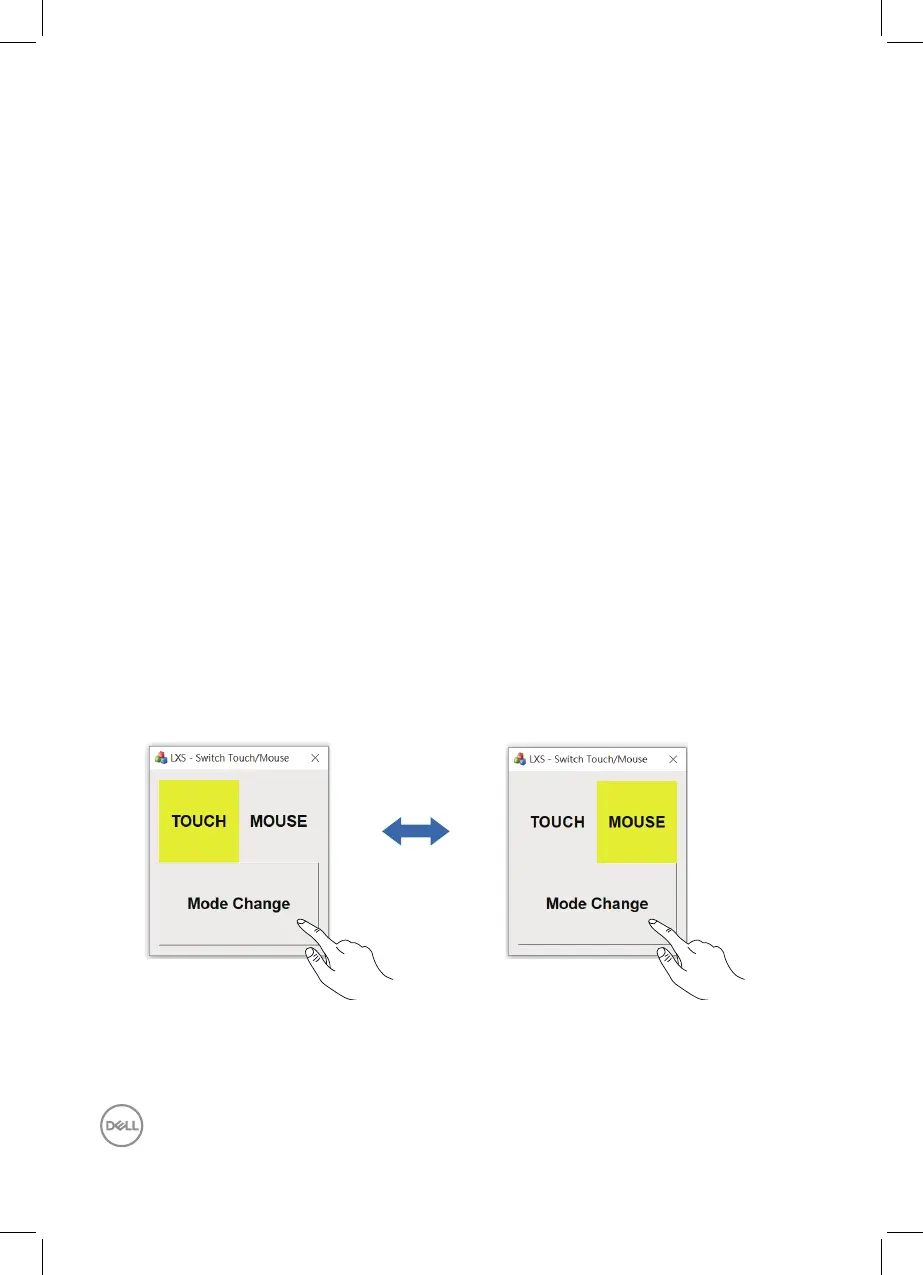
The user guide for the utility as following information.
Touch Mode: 10 finger touch available.
Mouse Mode: touch within mouse pointer.
How to Use: If you want to switch the mode, the only thing you have to do is click
the Mode change.
[Touch Mode] [Mouse Mode]



 To Next Page