Operating the monitor │ 79
Saturation This feature can adjust the color saturation of the video
image. Use or to adjust the saturation from 0 to
100.
Press to increase the monochrome appearance of
the video image.
Press to increase the colorful appearance of the
video image.
NOTE: Saturation adjustment is available only
when you select Movie or Game preset mode.
Reset Color
Resets your monitor’s color settings to the factory
settings.
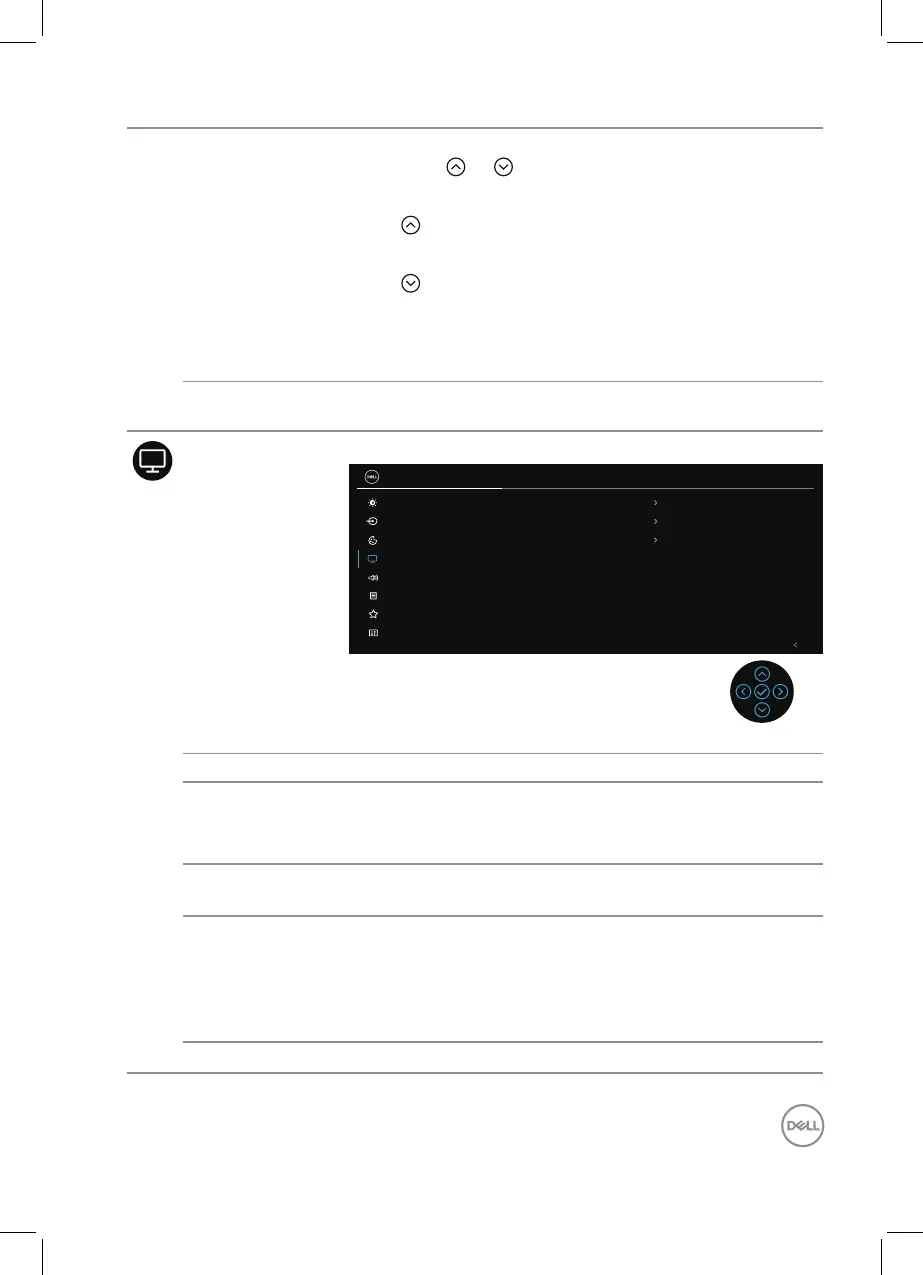
Display Use the display to adjust image.
Brightness/Contrast
Input Source
2X Monitor
Color
Display
Exit
Aspect Ratio
16:9
50
Normal
Sharpness
Response Time
Dell Power Button Sync
Reset Display
Audio
Menu
Personalize
Others
Aspect Ratio Adjusts the image ratio to 16:9, 4:3 or 5:4.
Sharpness This feature can make the image look sharper or softer.
Move the joystick to adjust the sharpness level from ‘0’
to ‘100’.
Response Time Allows you to set the Response Time to Normal or
Fast.
Dell Power
Button Sync
Allows you to control PC system power state from the
monitor power button.
NOTE: This feature is only supported with Dell
platform which has built-in DPBS function,
and is only supported over USB-C interface.
Reset Display Resets all display settings to the factory preset values.



 To Next Page