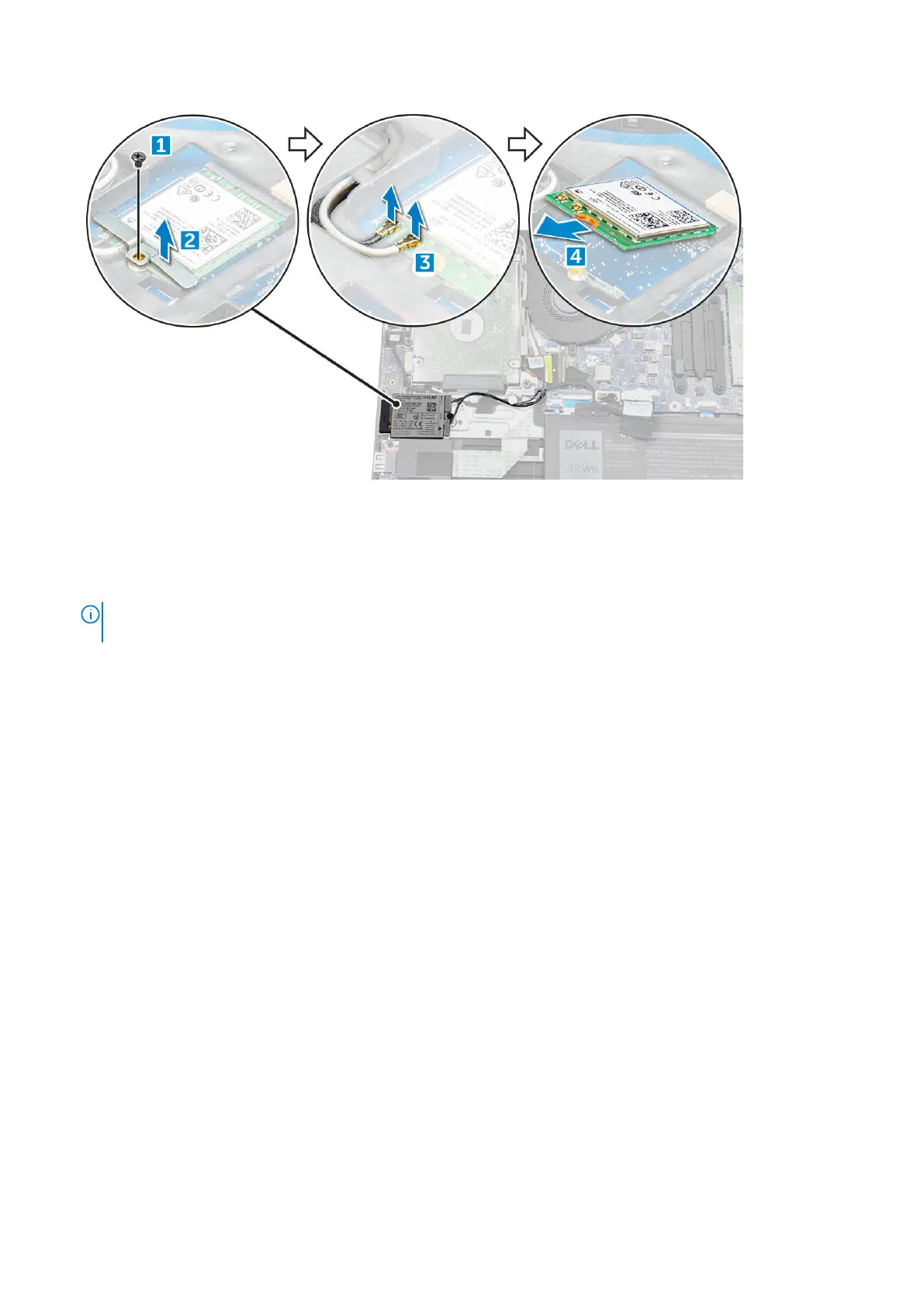
Installing the WWAN daughterboard
1. Insert the WWAN card into its connector on the WWAN daughterboard.
2. Connect the two antenna cables to the WWAN card.
NOTE:
The WWAN antennas should be routed underneath the display cable and above the VGA daughter board cable,
and then secured with the adhesive tape on the palm-rest.
3. Replace the metal bracket on the WWAN.
4. Tighten the M2x3 screw to secure the WWAN card and bracket to the WWAN daughterboard.
5. Install the:
a.
b. base cover
c. Installing the SIM tray – WWAN models on page 12
6. Follow the procedure in After working inside your computer
VGA board
Removing VGA board
1. Follow the procedure in Before working inside your computer.
2. Remove the:
a. base cover
b. battery
3. To remove the VGA board:
a. Disconnect the VGA daughter board cable from the VGA daughter board [1].
b. Remove the two M2x3 screws that secure the VGA board to the system [2].
c. Lift the VGA board from the system [3].
20
Disassembly and reassembly





 To Next Page