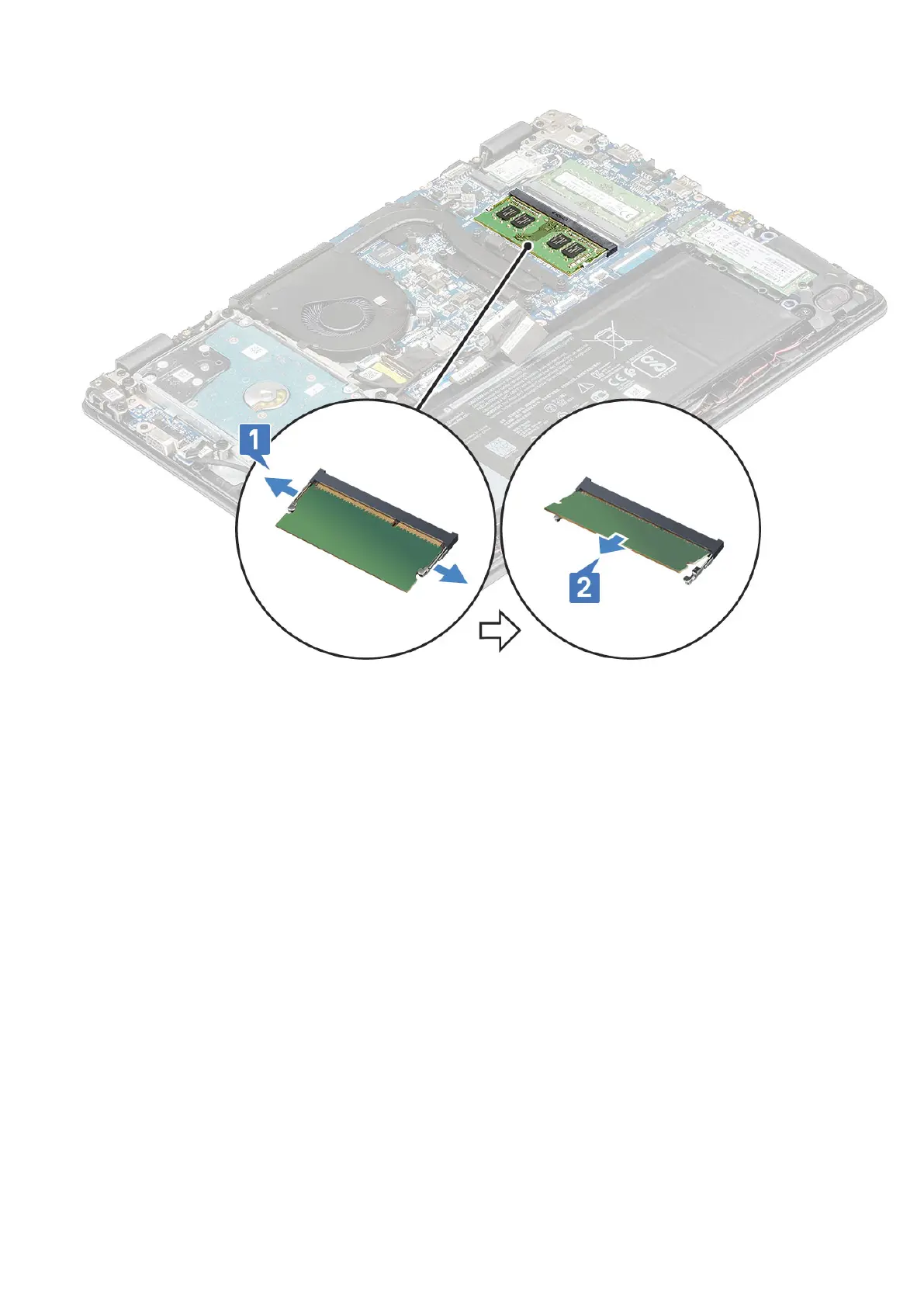
Installing the memory module
1. Insert the memory module into its connector at a 30 degree angle until the contacts are fully seated into the slot. Then,
press the module until the clips secure the memory module.
2. Install the:
a. battery
b. base cover
3. Follow the procedure in After working inside your computer.
Power button board
Removing power button board
1. Follow the procedure in Before working inside your computer.
2. Remove the:
a. Removing the SIM tray – WWAN models on page 12
b. base cover
c. battery
d. Hard disk
e. System fan
f. VGA board
3. To remove the power button board:
22
Disassembly and reassembly





 To Next Page