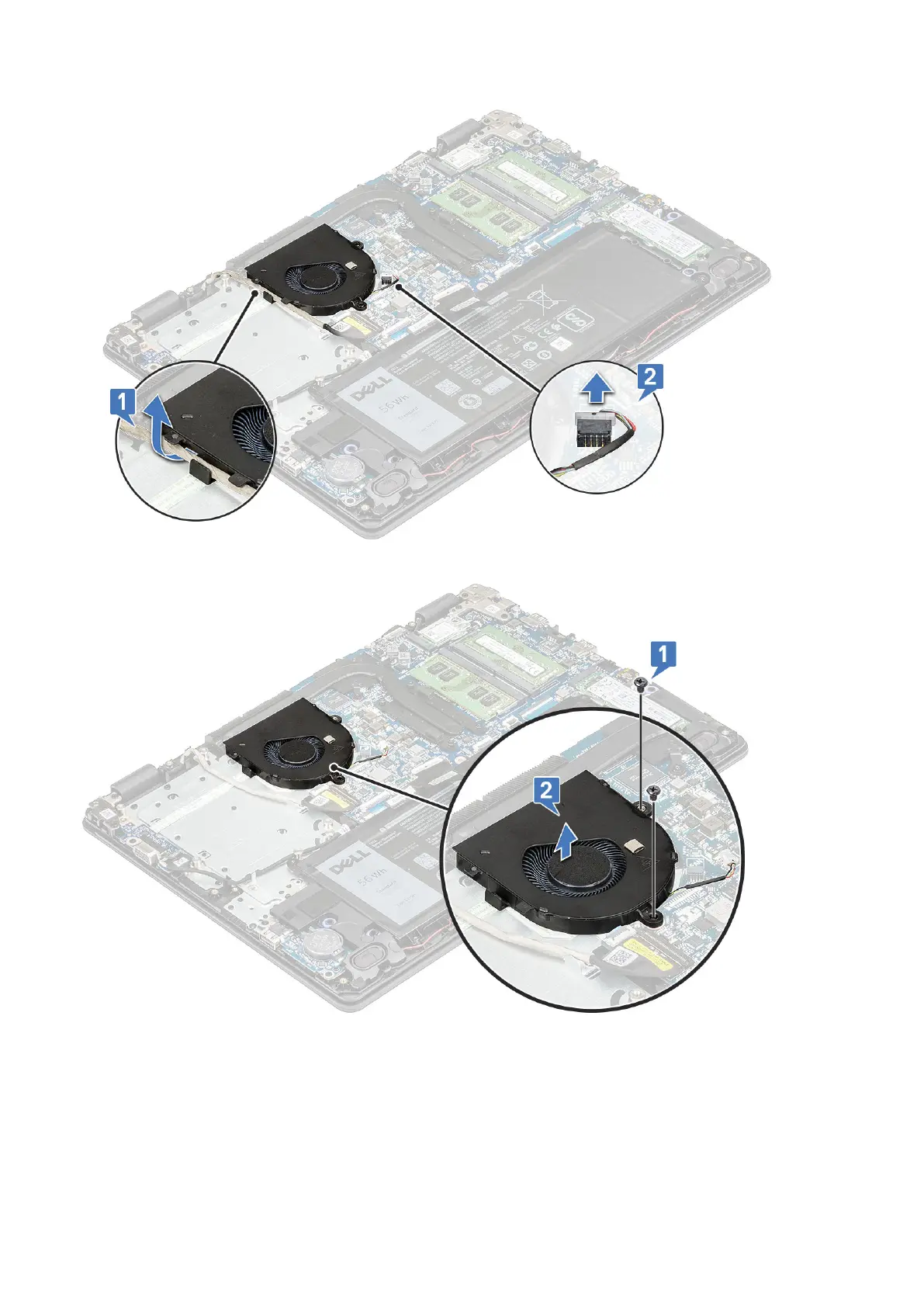
b. Remove the 2 M2.5x5 screws that secure the fan to the computer [1] and lift the fan off the computer [2].
Installing the system fan
1. Place the fan on the computer.
2. Tighten the 2 M2.5x5 screws to secure the fan to the computer.
3. Connect the fan cable to the system board.
4. Route the eDP cable through its routing channel on the system fan.
26
Disassembly and reassembly





 To Next Page