a. base cover
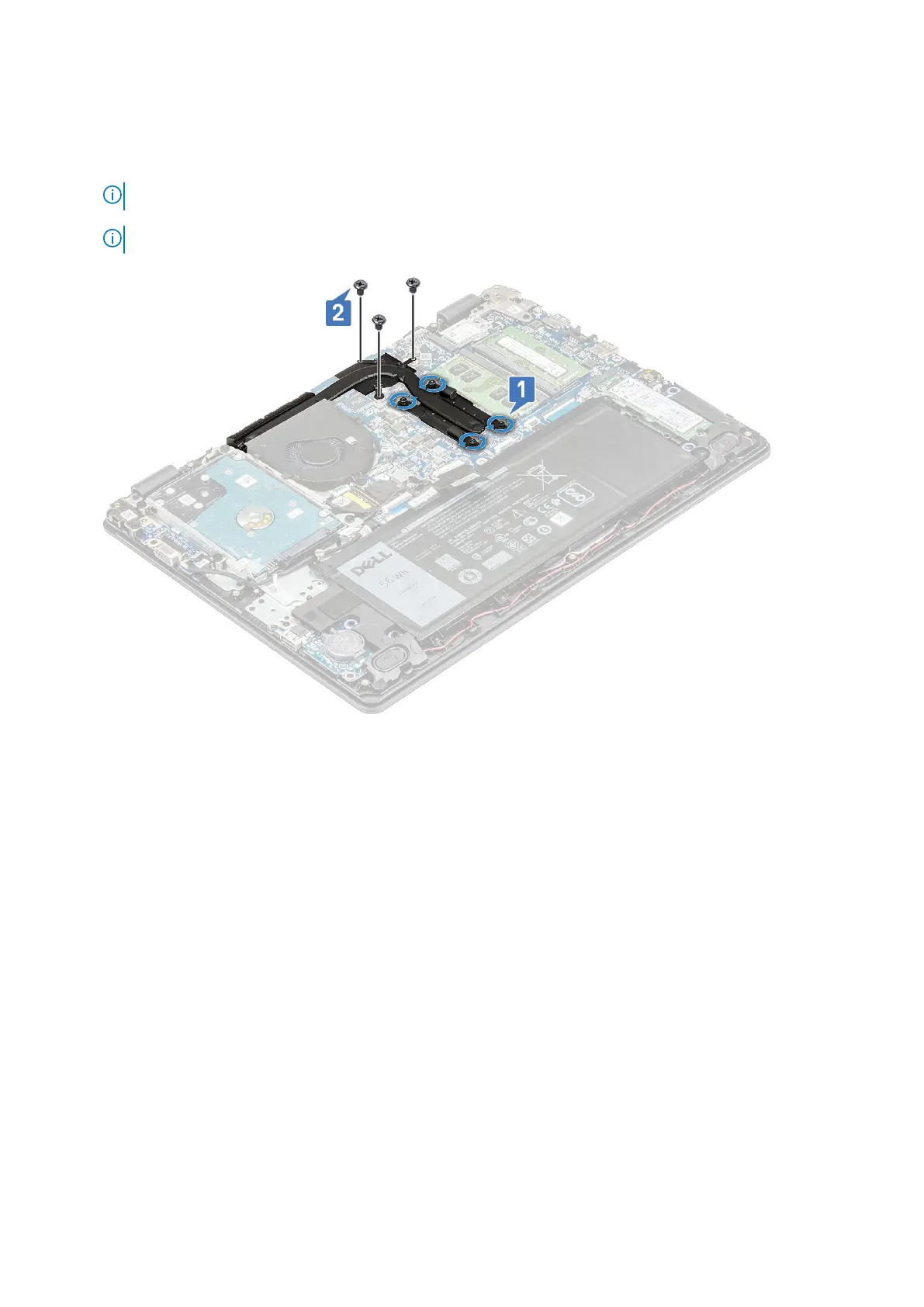
3. To remove the heatsink:
a. Loosen the 4 M2.5x2.5 captive screws that secure the heatsink to the computer [1], and then remove another 3 M2x3
screws to release it from the system [2].
NOTE: Remove the heat sink screws in sequential order as indicated on the heat-sink.
NOTE: The UMA heatsink has 4 (M2x3) screws.
b. Lift the heatsink away from the computer [2].
24
Disassembly and reassembly





 To Next Page