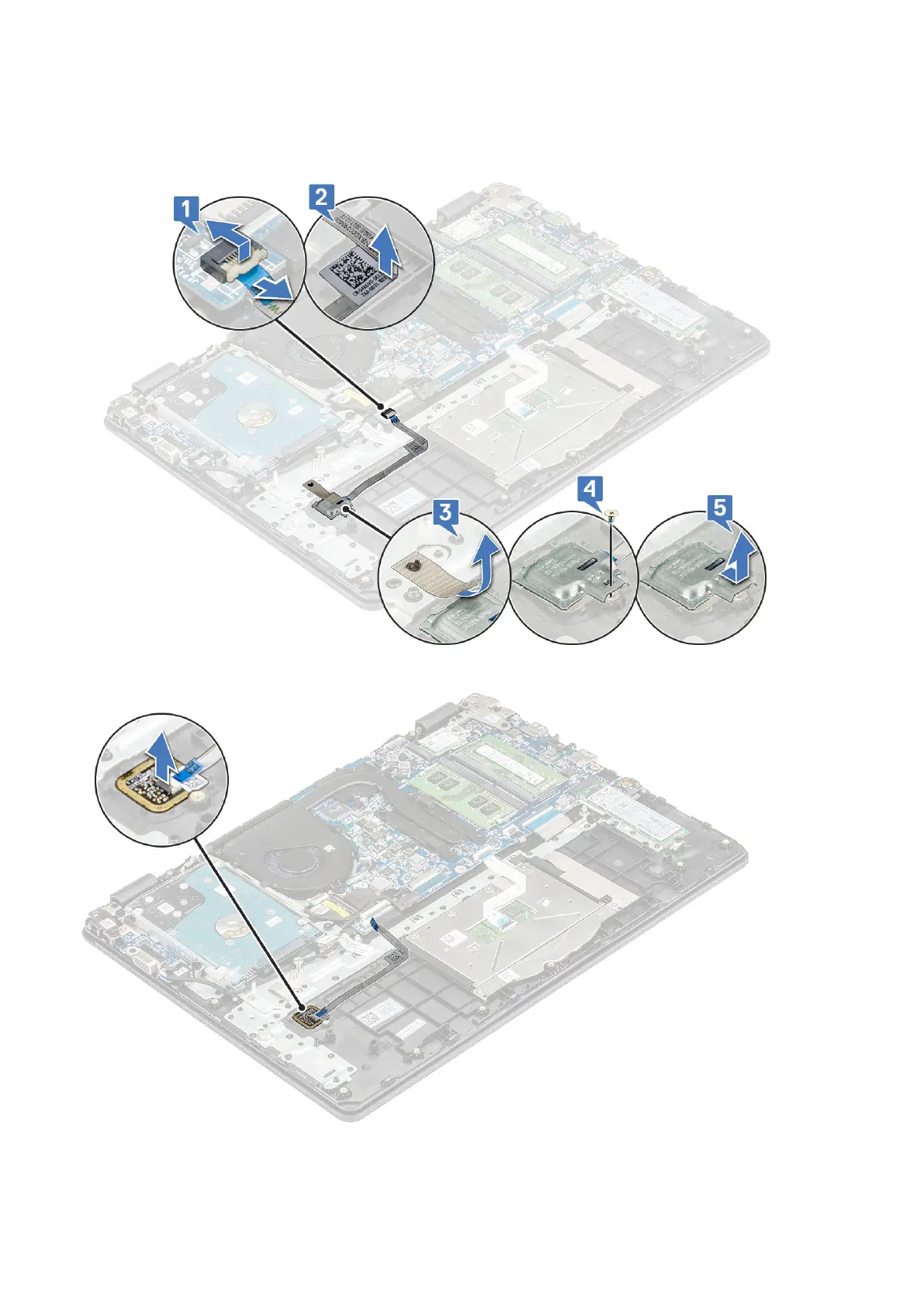
a. Disconnect the fingerprint reader cable from its connector on the system board [1], peel the adhesive that secures the
cable to the palmrest [2].
b. Peel the adhesive tape that secures the fingerprint reader to the palmrest [3].
c. Remove the M2x2 screw securing the metal bracket of the connector [4] and lift it off the computer [5]
d. Lift the fingerprint reader off the computer
Disassembly and reassembly
33





 To Next Page