Replacing the solid-state drive/Intel Optane
memory module
Enable the Intel Optane memory after you replace the Intel Optane memory module. For more information about enabling the Intel Optane
memory
, see
Enabling Intel Optane memory
.
WARNING
: Before working inside your computer, read the safety information that shipped with your computer and follow the
steps in
Before working inside your computer. After working inside your computer, follow the instructions in After working inside
y
our computer. For more safety best practices, see the Regulatory Compliance home page at
www.dell.com/
r
egulatory_compliance.
CAUTION
: Solid-state drives are fragile. Exercise care when handling the solid-state drive.
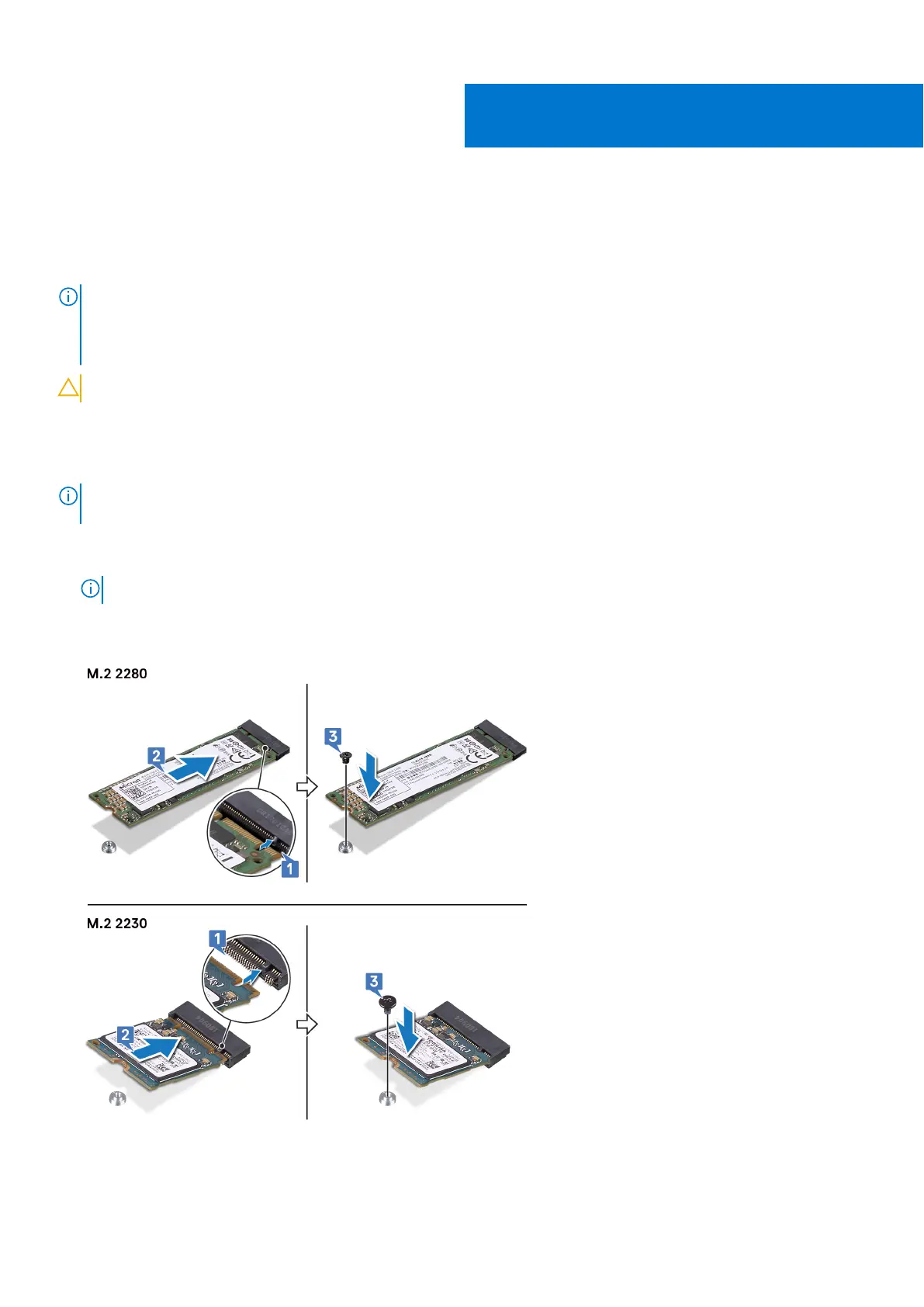
Procedure to replace M.2 2280 card
NOTE
: Follow the
procedure to change the location of the screw mount, in case if you are replacing the solid-state drive of a
dier
ent form factor.
1 Align the notch on the solid-state drive with the tab on the solid-state drive slot.
2 Slide the solid-state drive rmly in
to the solid-state drive slot at an angle.
NOTE: Ensure that the solid-state drive is rmly sea
ted.
3 Gently press the solid-state drive down and replace the screw (M2x3) that secures the solid-state drive to the solid-state drive
bracket and the palm-rest and keyboard assembly.
11
Replacing the solid-state drive/Intel Optane memory module 25



 To Next Page