Removing the display panel
WARNING
: Before working inside your computer, read the safety information that shipped with your computer and follow the
steps in
Before working inside your computer. After working inside your computer, follow the instructions in After working inside
y
our computer. For more safety best practices, see the Regulatory Compliance home page at
www.dell.com/
r
egulatory_compliance.
Prerequisites
NOTE
: Piece parts replacement of the display panel using SR tapes and pressure lms is only limited to RFR (Return For Repair
– Depot/CIS/CAR/MIS) service incidents. The complete display assembly (LCD Hinge-Up Display Assembly) must be
dispatched for onsite service incidents.
1 Remove the base cover.
2 Remove the wireless card.
3 Remove the fan.
4 Remove the heat sink.
5 Remove the display assembly.
Procedure
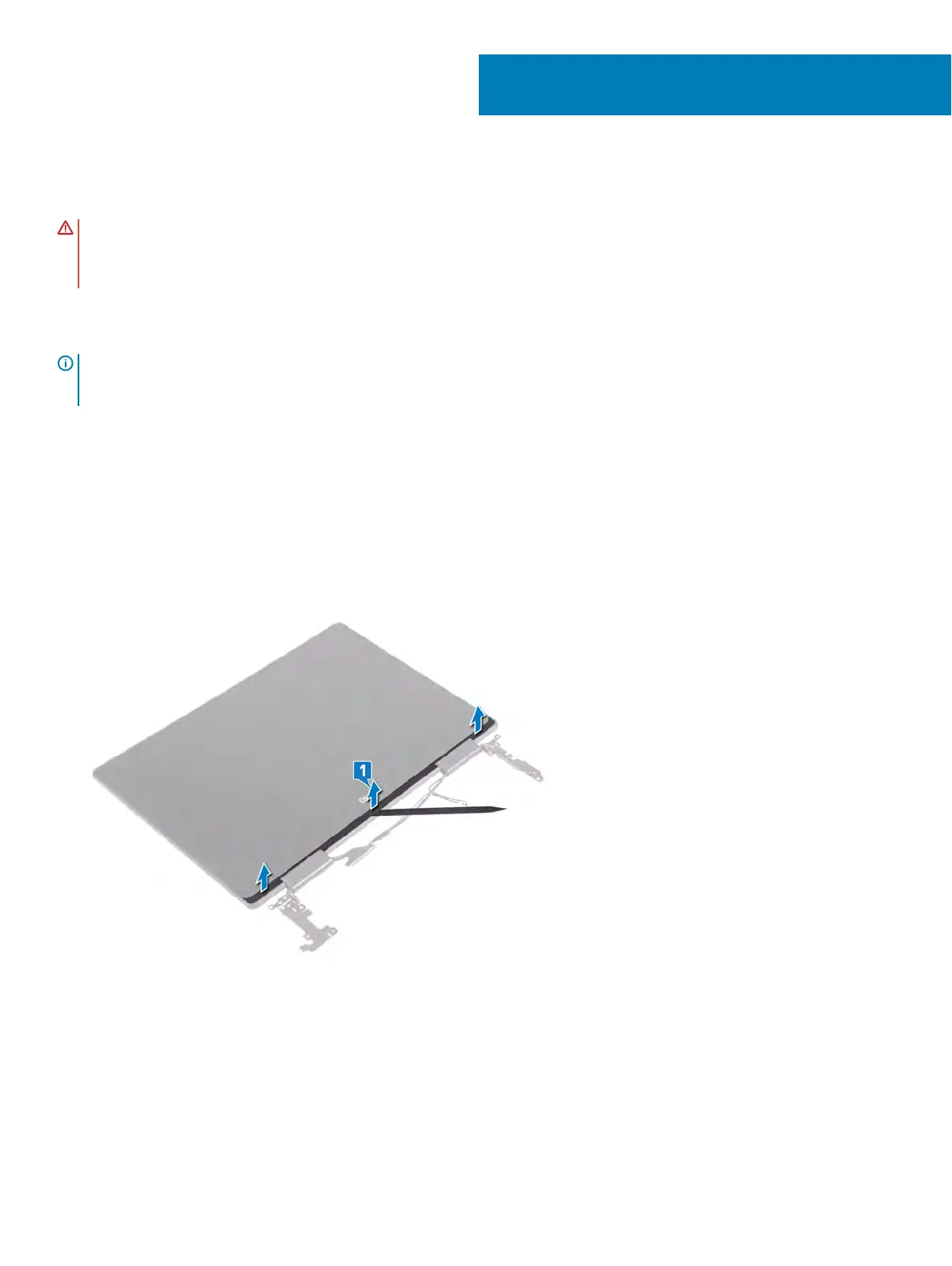
1 Using the at side of the plastic scribe, pry up the display bezel and remove it from the display back-cover and antenna assembly.
2 Using a plastic scribe, ip out the pull tab of the SR tape from both sides of the display panel.
3 Pull out a small section of the SR tape.
38
64 Removing the display panel



 To Next Page