108 Using Your Projector
Alert Setting
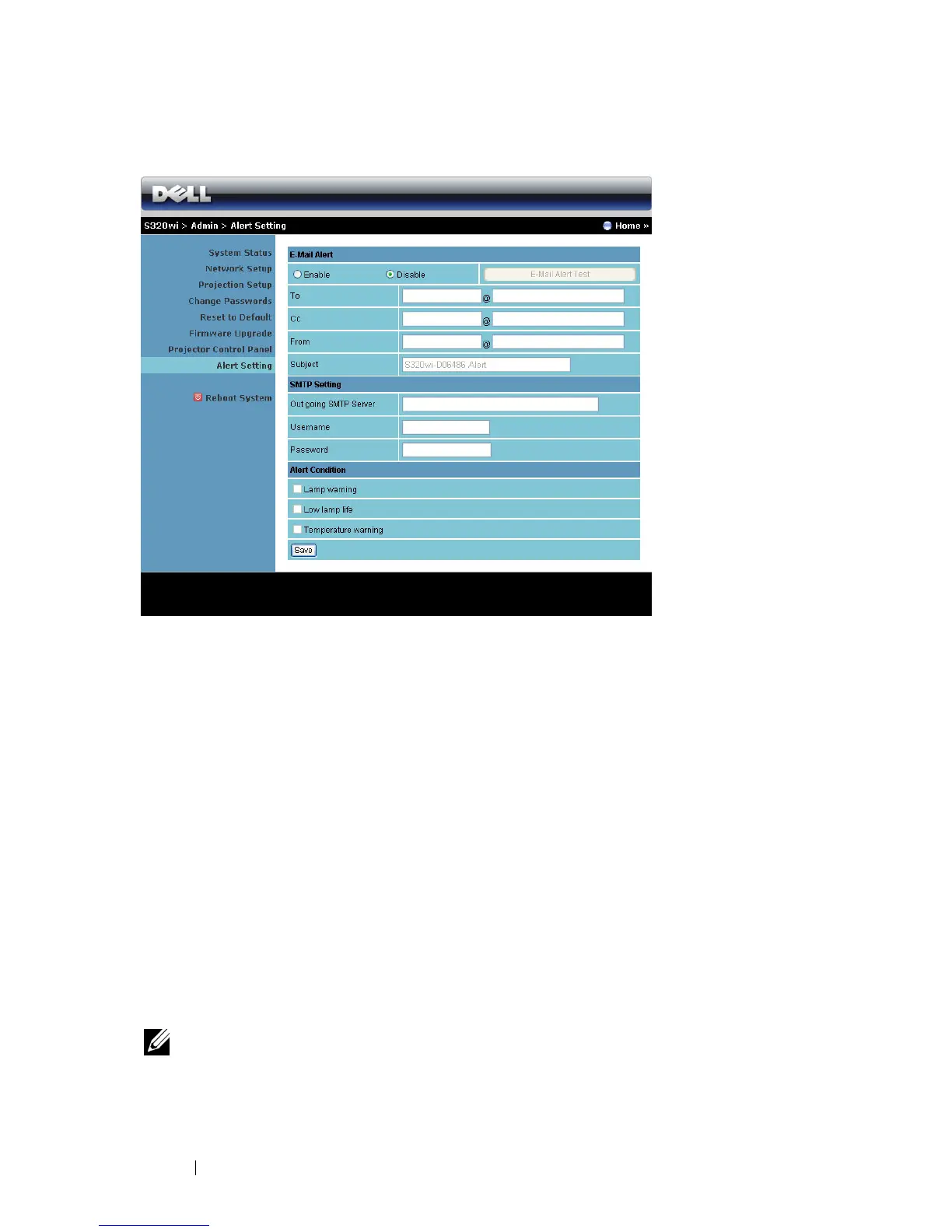
E-mail Alert
• E-mail Alert: You can set whether to be notified by email (Enable) or not
(Disable).
• To/Cc/From: You can enter email address of sender (From) and recipients
(To/Cc) to receive notification when an abnormality or warning occurs.
• Subject: You can enter the subject line of the email.
Click the E-mail Alert Test button to test the e-mail alert settings.
SMTP Setting
• Out going SMTP server, User name, and Password should be provided by
your network administrator or MIS.
Alert Condition
• You can select the abnormalities or warnings to be notified by email. When
any of the alert conditions occur, an email will be sent to the recipients
(To/Cc).
Click the Save button to the save settings.
NOTE: E-mail alert is designed to work with a standard SMTP server using the
default 25 port. It does not support encryption and authentication (SSL or TLS).





 To Next Page