Using Your Projector 93
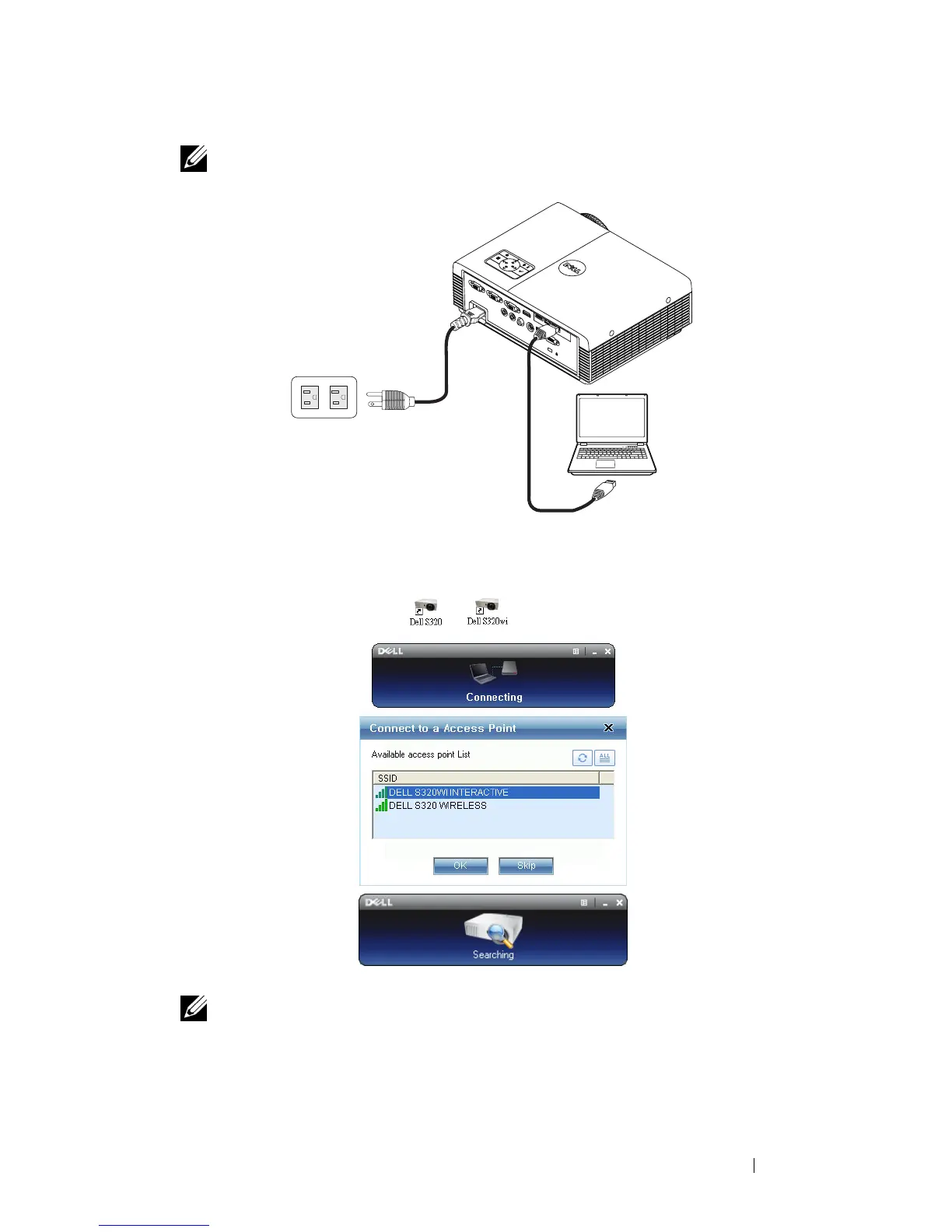
NOTE: If the LAN is used for audio projection, connect the LAN cable to the
projector and the computer.
Launch the Wireless Application
7
Once the installation is complete, the program will launch automatically. Or
you can double-click the
or
icon on the desktop to start the
application.
NOTE:
1 When you select the LAN for projection, click "Skip".
2 When you select the Wireless for projection, select the Dell S320 Wireless
or Dell S320wi Interactive, and the click "OK".





 To Next Page