Your Dell Projector 11
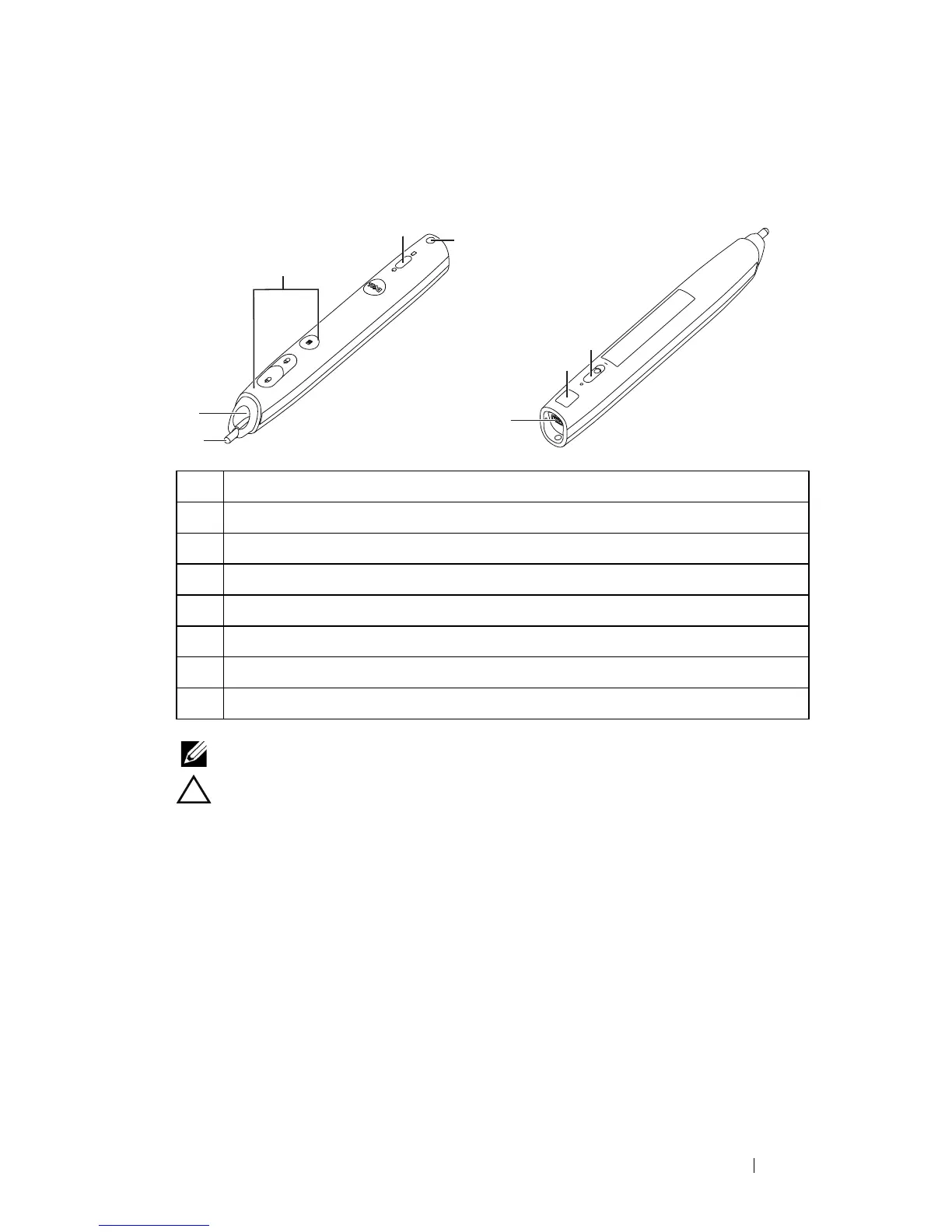
About Your Interactive Pen
NOTE: Optional (can be bought separately), or comes with S320wi only.
CAUTION: Safety Instructions
1 Do not use the projector near appliances that generate a lot of heat.
2 Do not use the projector in areas where there is an excessive amount of dust.
The dust may cause the system to fail and the projector will automatically
shutdown.
3 Ensure that the projector is mounted in a well-ventilated area.
4 Do not block the ventilation slots and openings on the projector.
5 Ensure the projector operates between ambient temperatures (5 ºC to 35 ºC).
6 Do not try to touch the ventilation outlet as it can become very hot after the
projector has been turned on or immediately after it is turned off.
7 Do not look into the lens while the projector is on as it may cause injury to your
eyes.
1 Replaceable nib
2 Lens
3 Control buttons
4 LED indicators
5 Wrist strap holder
6 Power switch
7 Firmware upgrade connector
8 Mini USB charge connector
1
2
3
4
5
6
7
8
Top View
Bottom View





 To Next Page