Connecting Your Projector 17
Connecting to a Computer
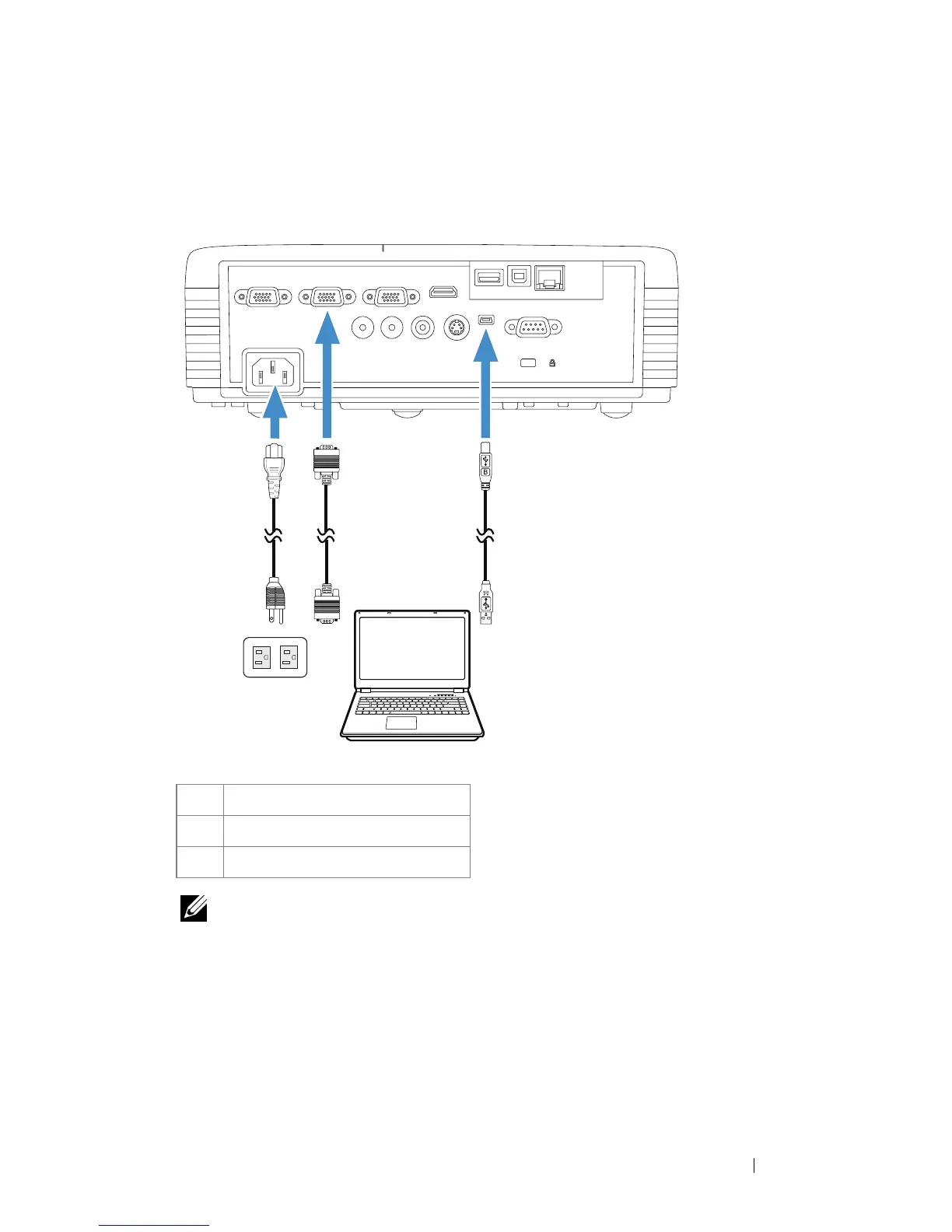
Connecting a Computer Using a VGA Cable
NOTE: The Mini USB cable must be connected if you want to use the Page Up
and Page Down features on the remote control.
1
Power cord
2 VGA to VGA cable
3 USB-A to Mini USB-B cable
VGA-A INVGA-OUT VGA-B IN HDMI
Audio-In
Audio-Out
Composite S-Video
Mini-USB
RS232
RJ45
DOUSBUSB-A
MOLEX
12 3





 To Next Page