Using Your Projector 69
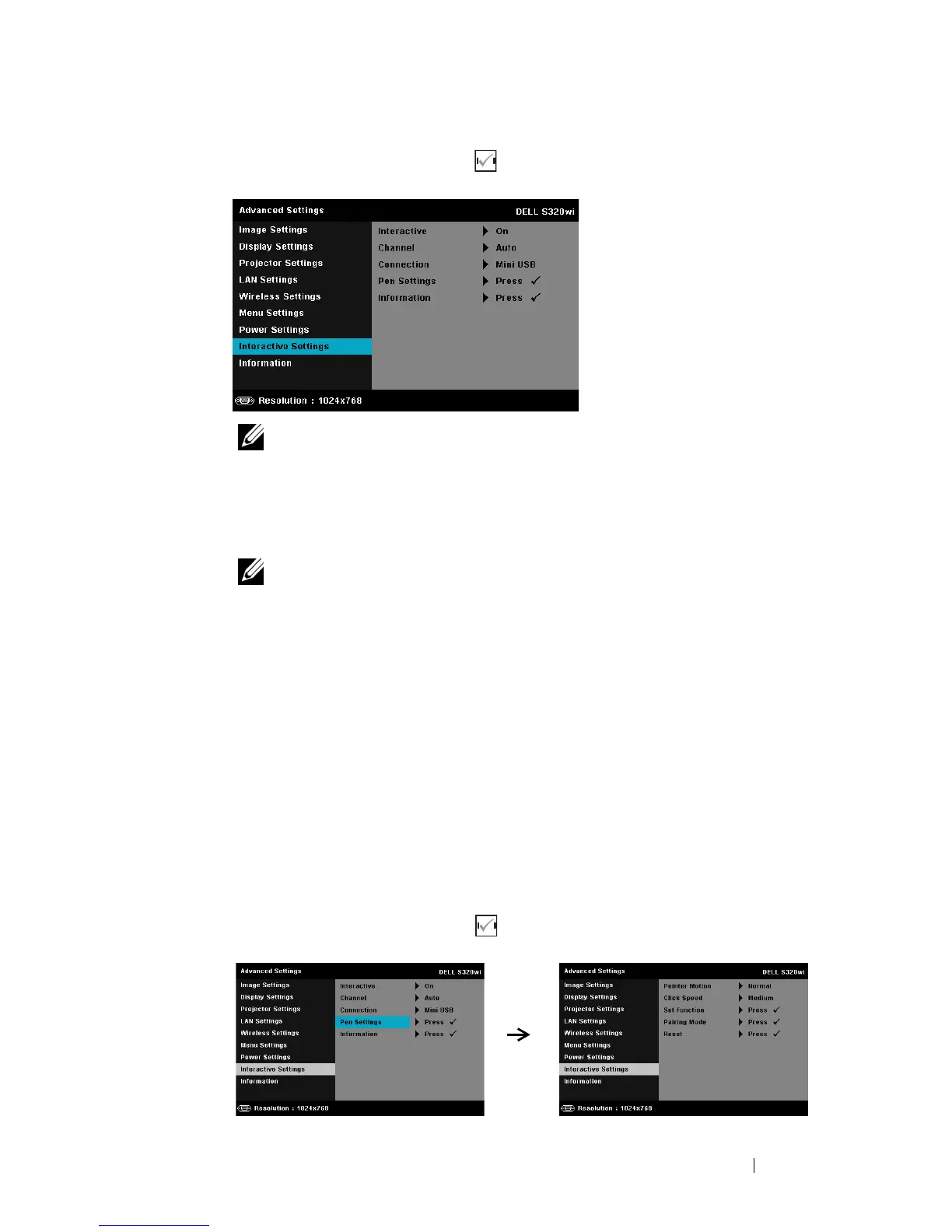
INTERACTIVE SETTINGS—Select and press to activate Interactive settings. The
Interactive settings menu provides the following options:
NOTE: The S320 projector must be installed with a Interactive Module
Kit if you want to use the Interactive feature. Refer to "Installing the
Optional Interactive Module Kit" on page 15.
I
NTERACTIVE—Default option is On. Select Off to disable the Interactive
Pen function.
NOTE:
1. Ensure that the Interactive Pen is connected. See "Connecting With
Your Interactive Pen" on page 28.
2. Interactive Pen cannot be used in the extend mode.
3. Interactivity is supported only in the following input modes: VGA and
HDMI from a Computer, and Wireless Display, LAN Display, or USB
Display.
C
HANNEL—Allows you to set the channel selected as Auto or Manual.
•Auto
—
Channel is selected automatically.
•Manual
—
Channel is selected manually. A total of 30 channels are
available.
C
ONNECTOR—Allows you to set the connector selection as Mini USB or
Wireless/LAN.
P
EN SETTINGS—Select and press to activate Pen settings. The Pen
settings menu provides the following options:





 To Next Page