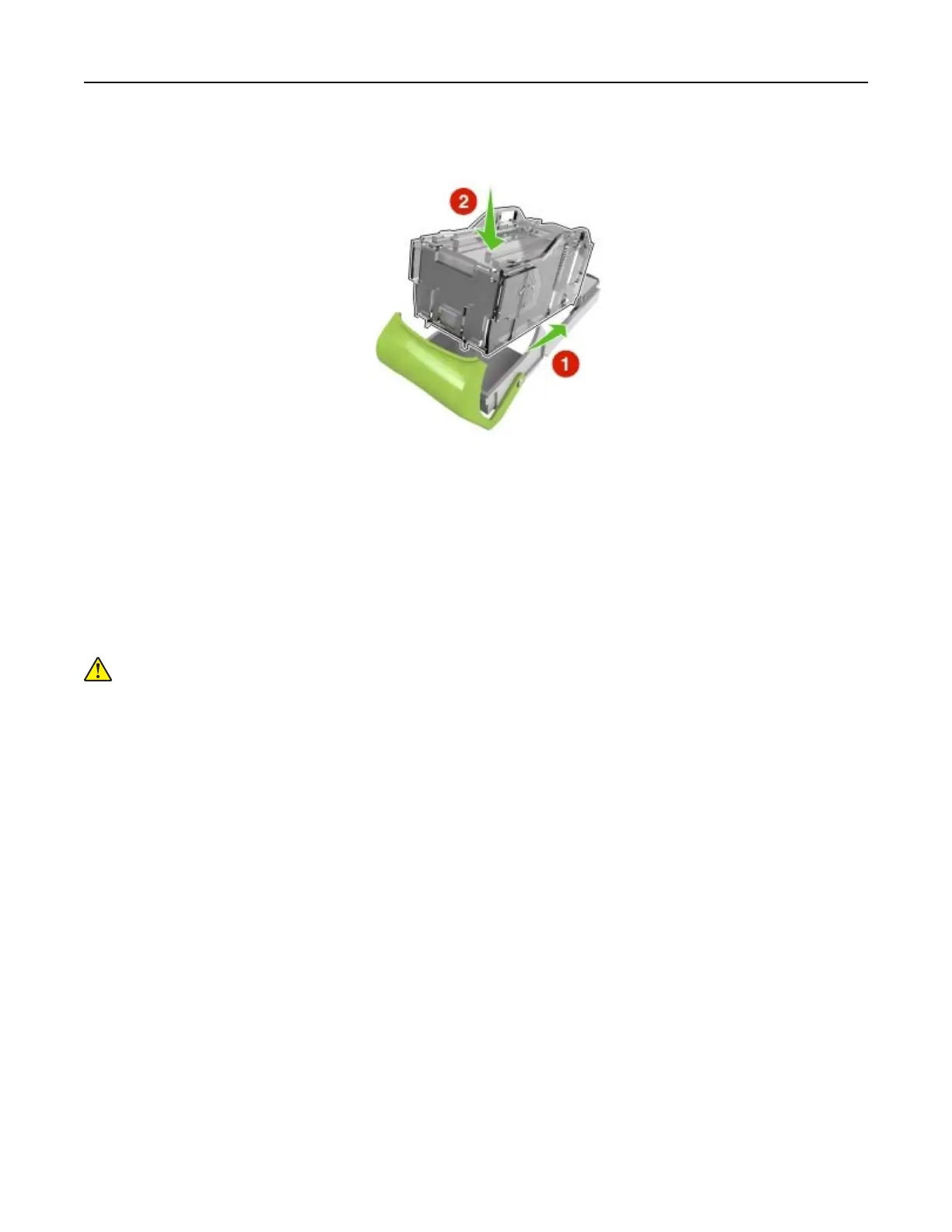
4 Insert the front side of the new staple case into the staple cartridge, and then push the rear side into the
cartridge.
5 Push the staple cartridge into the
finisher
until it clicks into place.
6 Close the stapler door.
Moving the printer
Before moving the printer
CAUTION—POTENTIAL INJURY: Before moving the printer, follow these guidelines to avoid personal
injury or printer damage:
• Turn o the printer, and then unplug the power cord from the electrical outlet.
• Disconnect all cords and cables from the printer.
• If two or more optional finishers are installed, then remove the finishers individually from the printer.
Notes:
– Make sure to remove the topmost finisher first.
– To remove the finisher, hold the finisher on both sides, and then lift the latches to unlock the finisher.
Maintaining the printer 148



 To Next Page