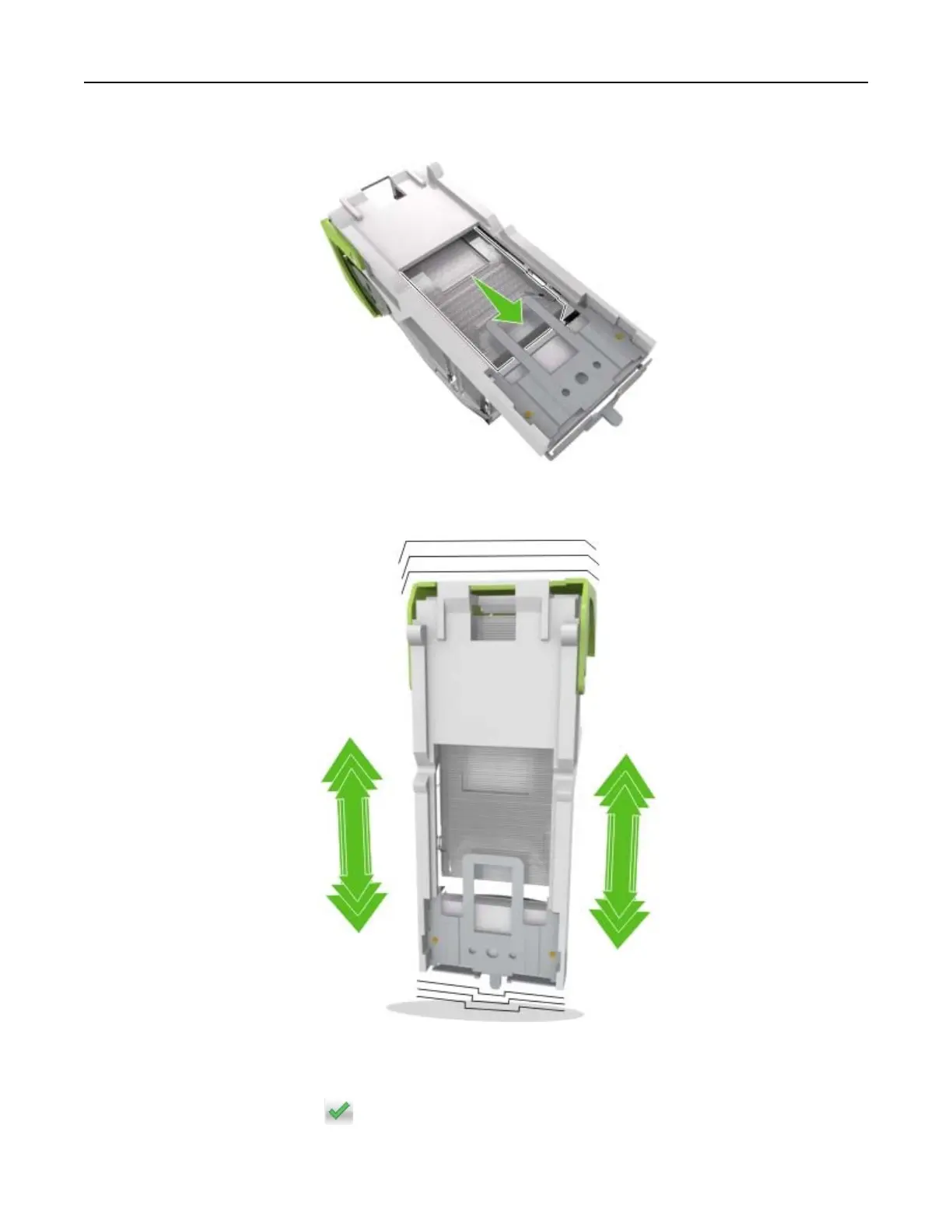
5 Press the staples against the metal bracket.
Note: If the staples are at the rear of the cartridge, then shake the cartridge downward to bring the
staples near the metal bracket.
6 Insert the staple cartridge holder.
7 Close the staple access door.
8 From the home screen, touch .
Clearing jams 167



 To Next Page