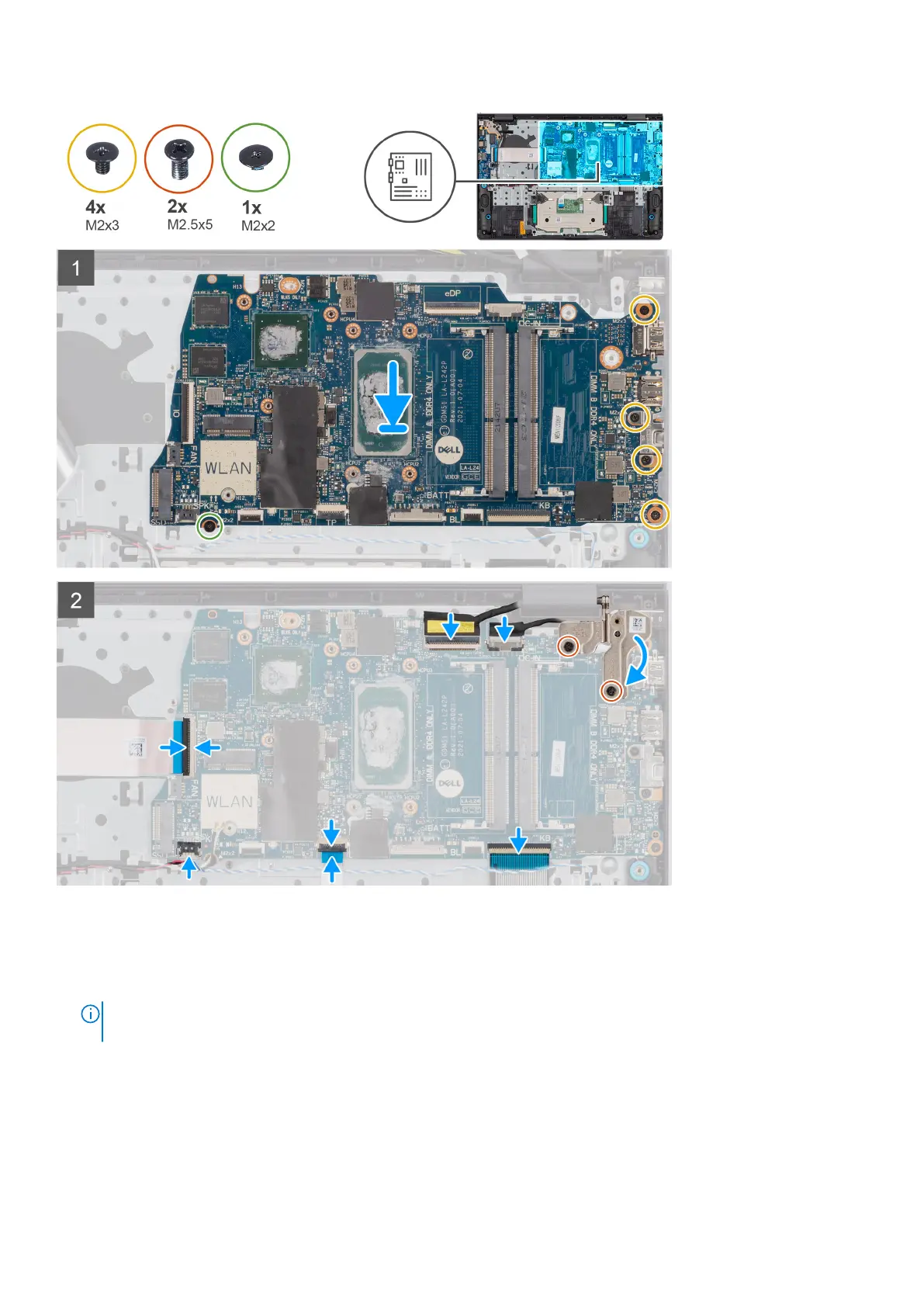
Steps
1. Place the system board on the palm-rest and keyboard assembly.
2. Align the screw holes on the system board with the screw holes on the palm-rest assembly.
3. Replace the single (M2x2) screw and three (M2x3) screws that secure the system board to the palm-rest assembly.
NOTE:
When replacing/reinstalling the system board, DO NOT install a screw to the screw hole at the top side the
system board.
Removing and installing components 73



 To Next Page