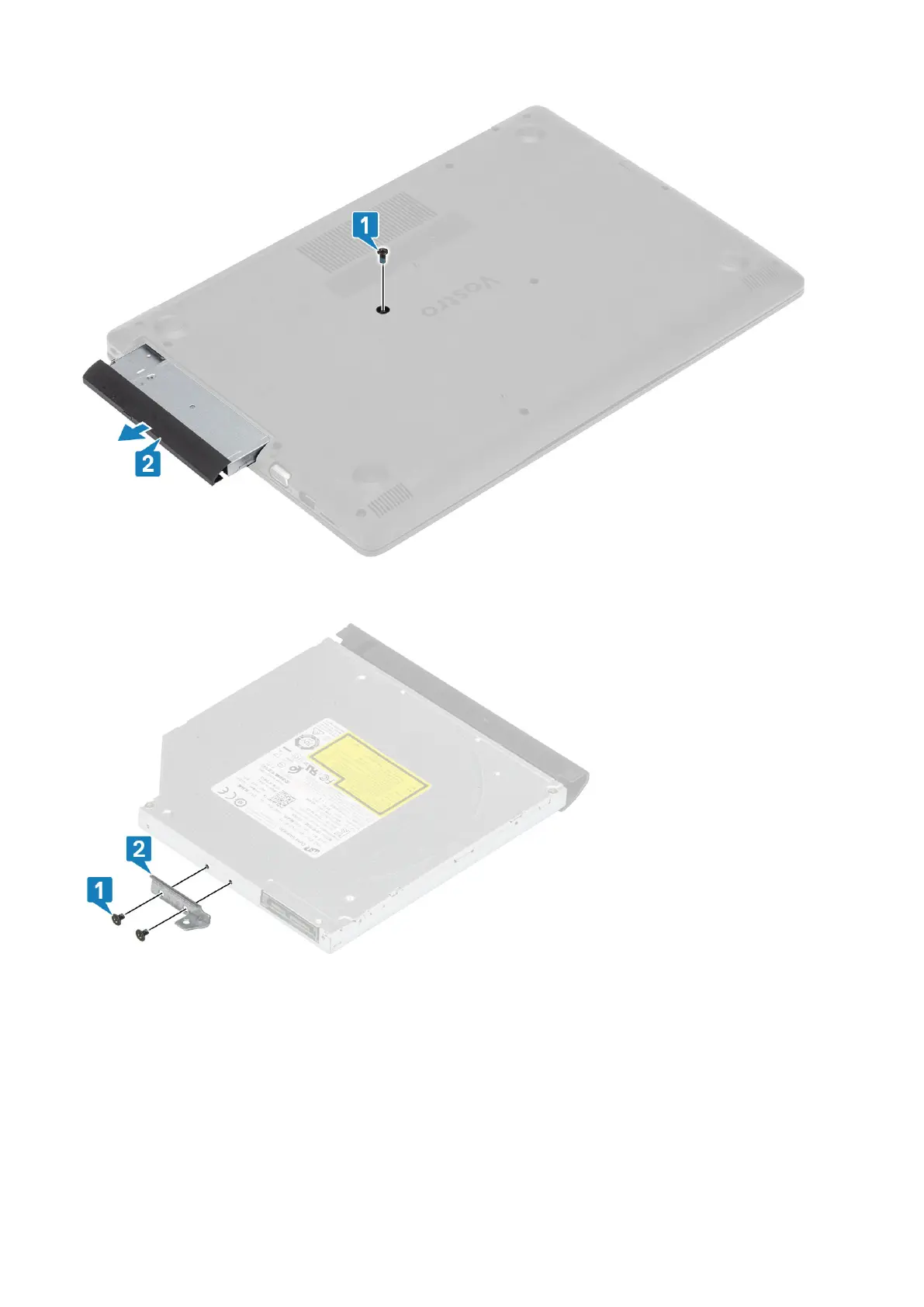
3. Remove the two (M2x3) screws that secure the optical drive bracket to the optical drive [1].
4. Remove the optical drive bracket from the optical drive [2].
Installing the optical drive assembly
Steps
1. Align the optical drive bracket to the screw holes on the optical drive [1].
2. Replace the two (M2x3) screws that secure the optical drive bracket to the optical drive [2].
Removing and installing components
17



 To Next Page