Installing the system board
Steps
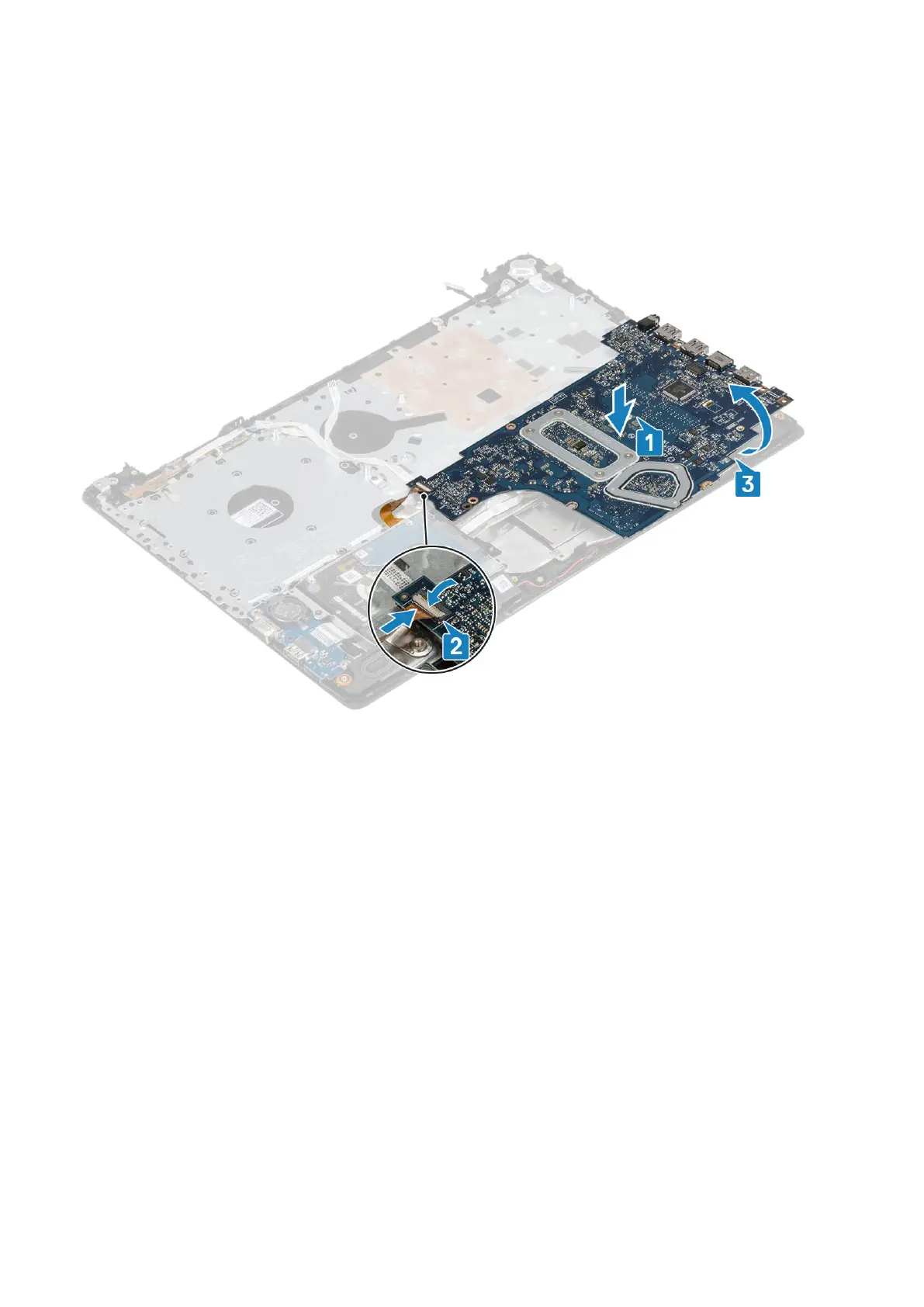
1. Place the system board on the palmrest and keyboard assembly [1].
2. Connect the VGA daughterboard cable to the system board [2].
3. Flip the system board on the palmrest and keyboard assembly [3].
4. Align the screw hole on the system board with the screw hole on the palmrest and keyboard assembly.
5. Replace the single (M2x4) screw that secures the system board to the palmrest and keyboard assembly [1].
Removing and installing components
63



 To Next Page