10. Remove the heatsink
11. Remove the display assembly
12. Remove the display bezel
Steps
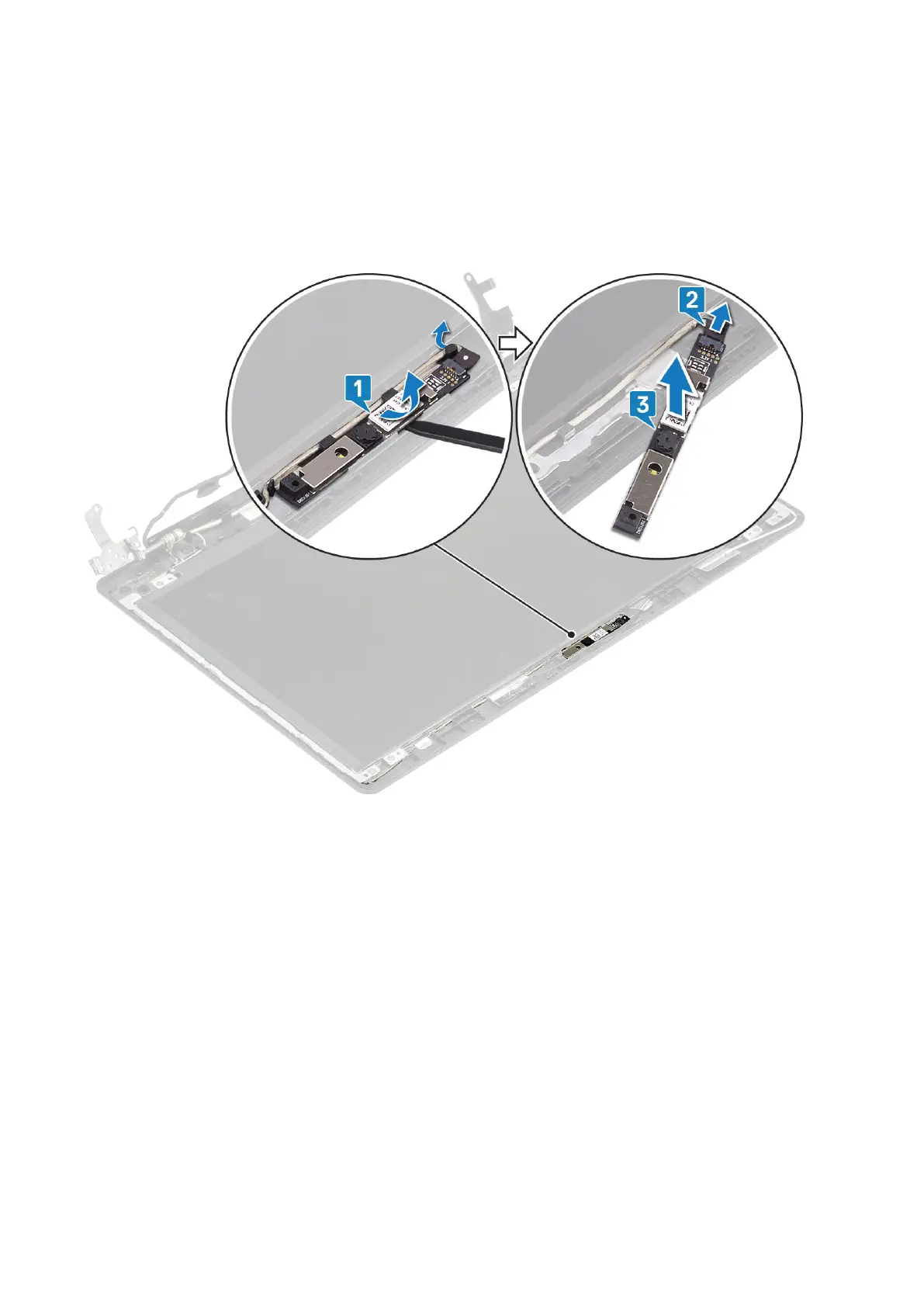
1. Using a plastic scribe, gently pry the camera off the display back-cover and antenna assembly [1].
2. Disconnect the camera cable from the camera module [2].
3. Lift the camera module from the display back-cover and antenna assembly [3].
Installing the camera
Steps
1. Connect the camera cable to the camera module [1].
2. Using the alignment post, adhere the camera module on the display back-cover and antenna assembly [2].
3. Route the camera cable through the routing channels [3].
Removing and installing components
73



 To Next Page