Base cover
Removing the base cover
Prerequisites
1. Follow the procedure in before working inside your computer
2. Remove the SD memory card
3. Remove the optical drive assembly
Steps
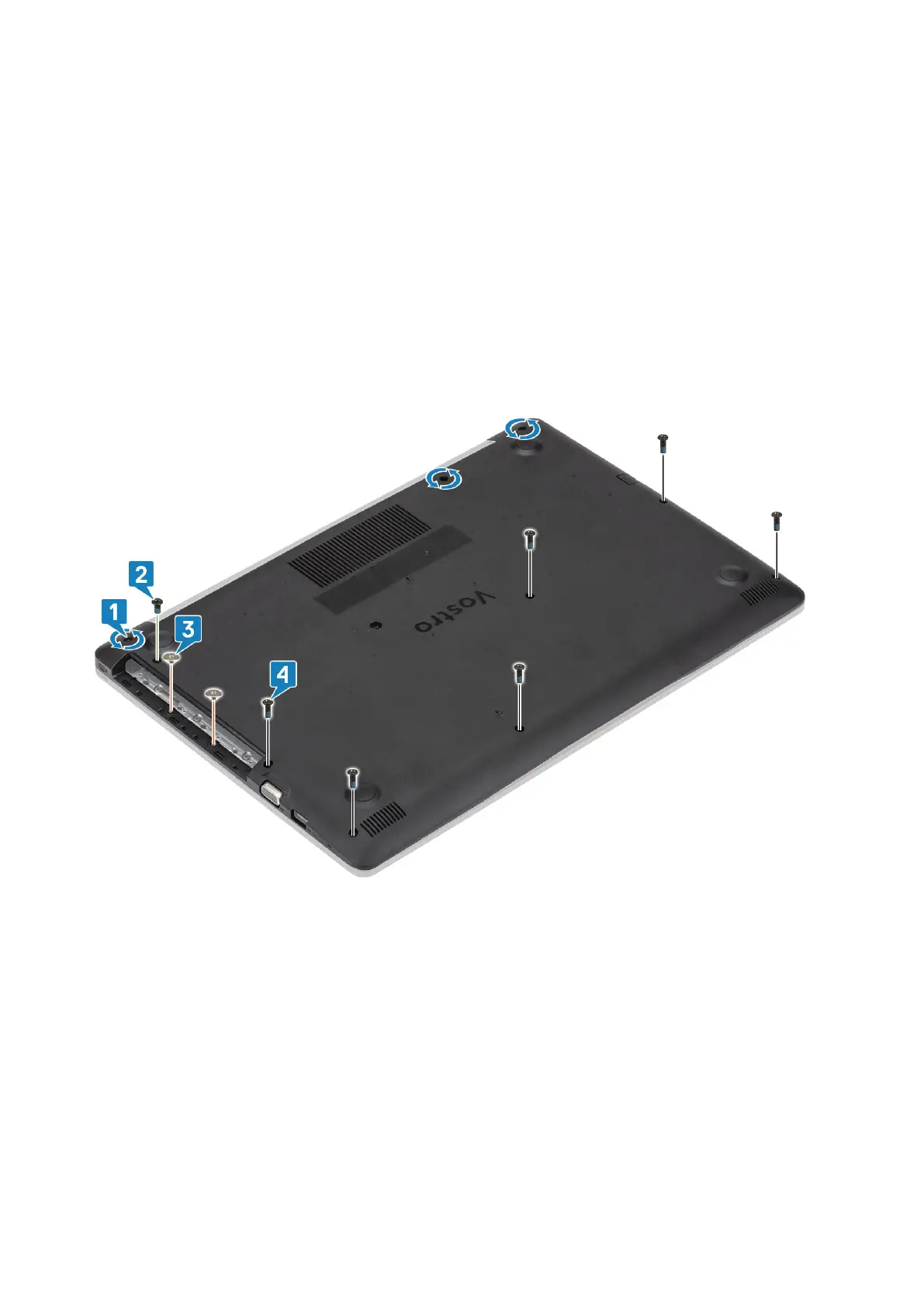
1. Loosen the three captive screws [1].
2. Remove the single (M2x4) screw, two (M2x2) screws, and six (M2.5x7) screws that secure the base cover to the palmrest and
keyboard assembly [2, 3, 4].
3. Pry the base cover from the top-right corner [1] and continue to open the right side of the base cover [2].
4. Lift the left side of the base cover and remove it off the system [3].
Removing and installing components
19



 To Next Page