5. Remove the memory
6. Remove the WLAN
7. Remove the SSD
8. Remove the system fan
9. Remove the heatsink
10. Remove the display assembly
Steps
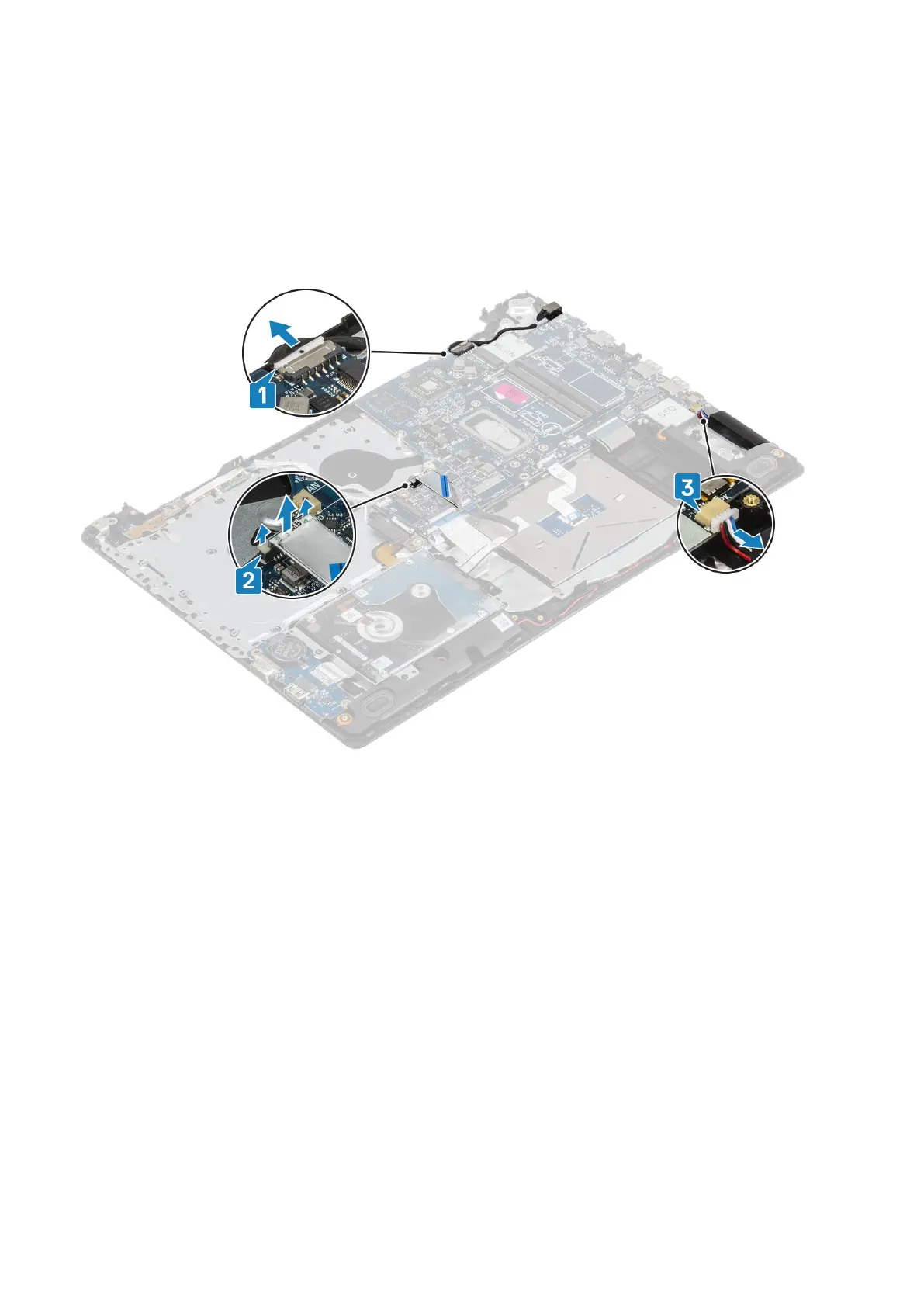
1. Disconnect the power adapter port cable, optical drive cable and speaker cable from the system board [1, 2, 3].
2. Remove the single (M2x2) screw that secures the optical drive connector to the system board [1].
3. Lift the optical drive connector [2].
60
Removing and installing components



 To Next Page