Removing and installing components
Recommended tools
The procedures in this document require the following tools:
• Phillips #0 screwdriver
• Phillips #1 screwdriver
• Plastic scribe
NOTE:
The #0 screw driver is for screws 0-1 and the #1 screw driver is for screws 2-4.
Screw list
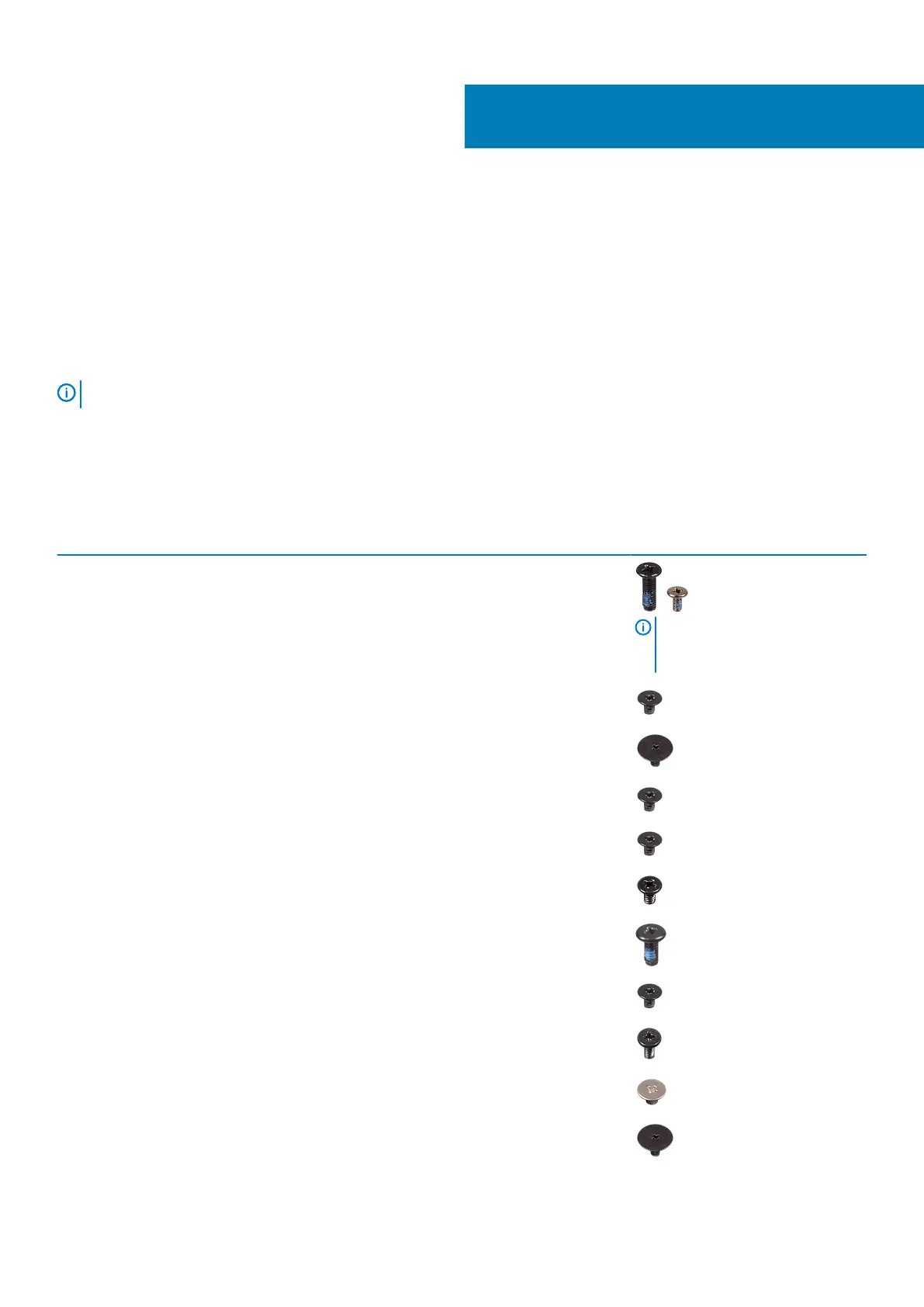
The table provides the list of screws that are used for securing different components.
Table 3. Screw list
Component Screw type Quantity Screw image
Base cover M2.5x7
M2x4
6
1
NOTE: Screw color may vary
depending on the
configuration ordered.
Battery M2x3 4
Solid-state drive to thermal plate M2x2 Big Head 1
Solid-state drive M2x0.8x2.2 1
Hard-drive assembly M2x3 4
Hard-drive bracket M3x3 4
System Fan M2.5x5 3
Heat sink - discrete M2x3 4
I/O board M2x4 2
Touchpad M2x2 6
Power-button board M2x2 Big Head 1
3
Removing and installing components 13













 To Next Page