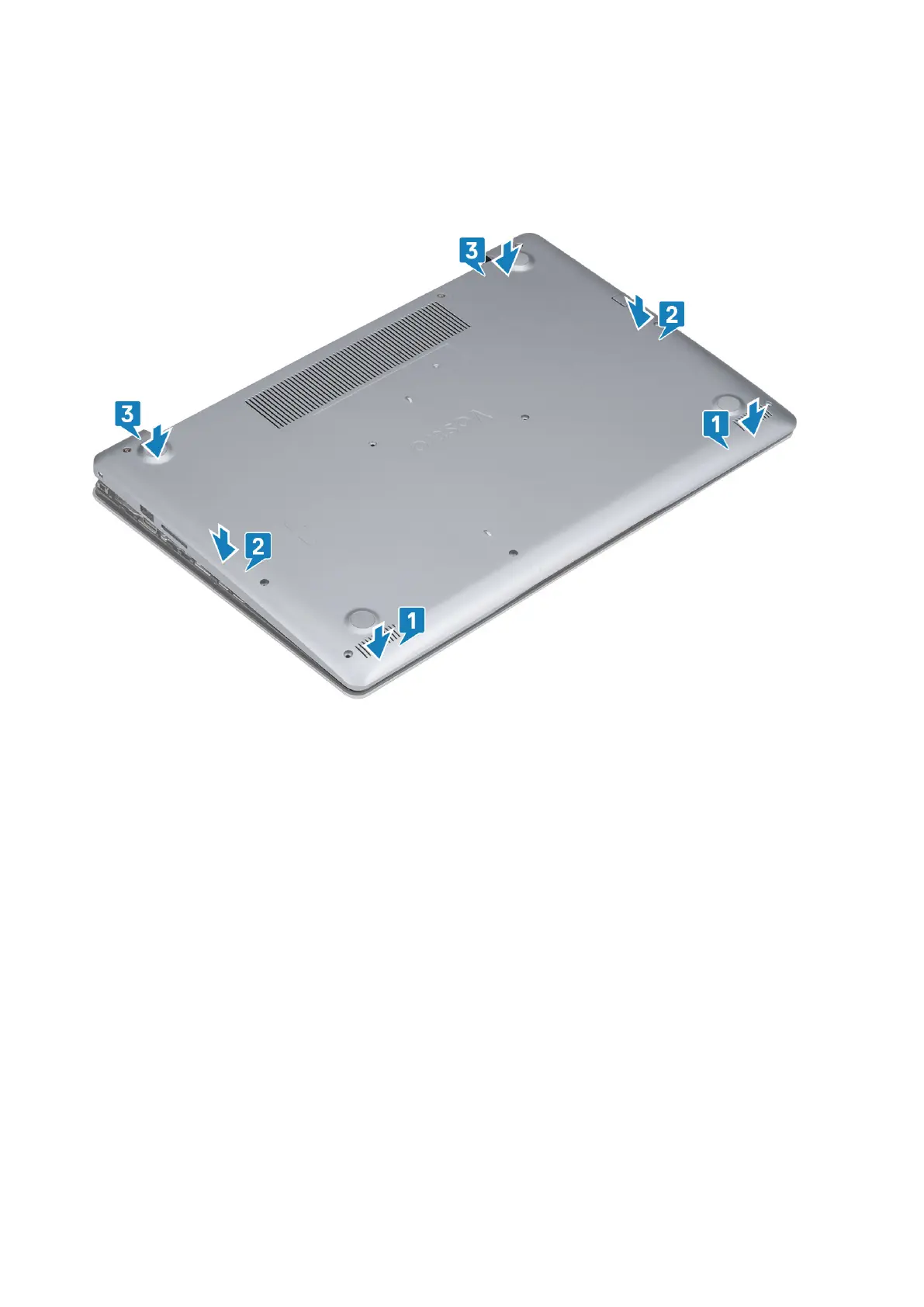
Installing the base cover
Steps
1. Place the base cover on the palmrest and keyboard assembly [1].
2. Press the edges and sides of the base cover until it snaps into place [2, 3].
3.
Tighten the three captive screws, and replace the single (M2x4) screw that secures the base cover to the palmrest and keyboard
assembly [1, 2].
4. Replace the six (M2.5x7) screws that secure the base cover to the palmrest and keyboard assembly [3].
18
Removing and installing components














 To Next Page