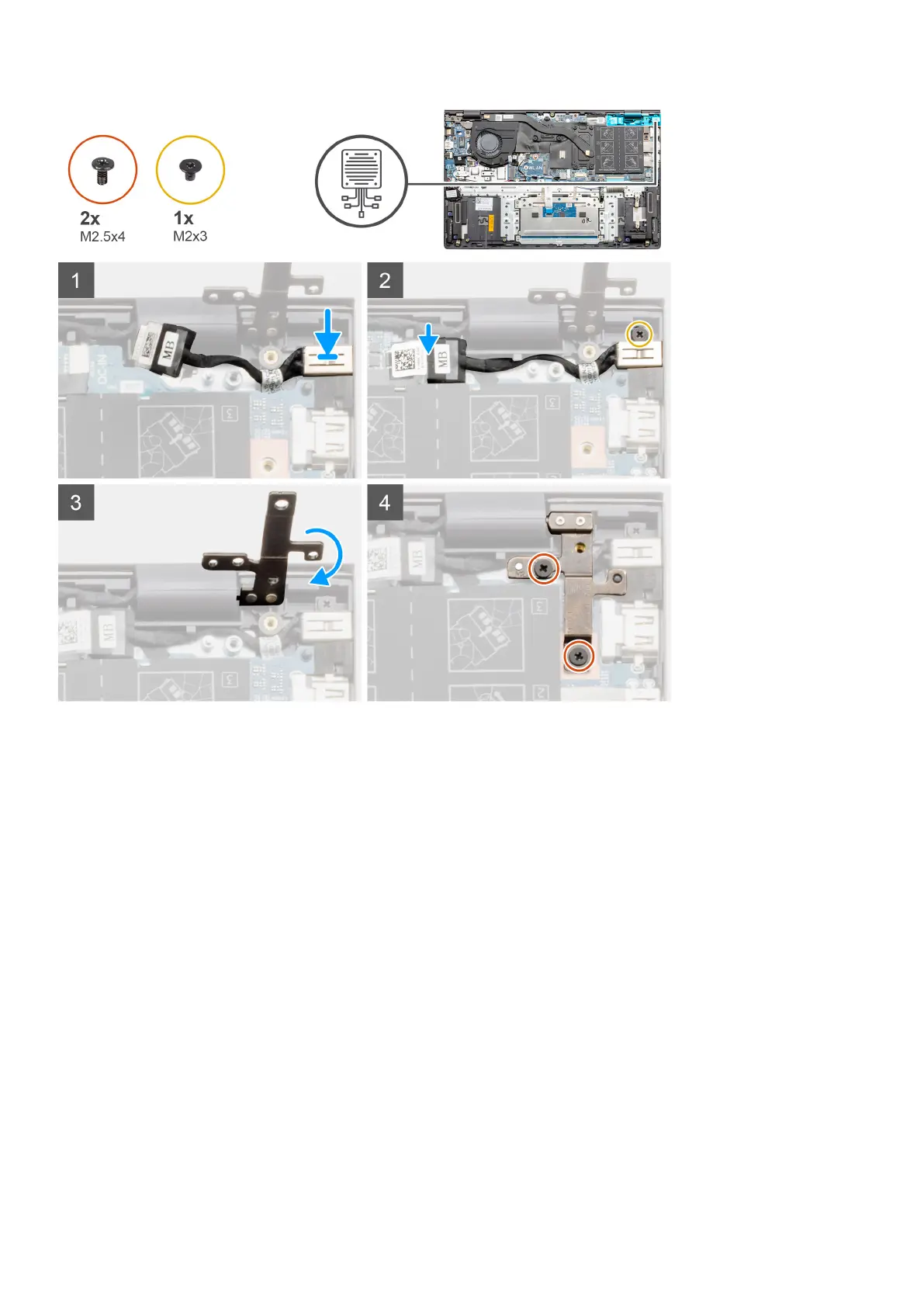
Steps
1. Place the DC-in port on the palm-rest and keyboard assembly.
2. Replace the single screw (M2x3) on the DC-in port using bracket.
3. Connect the DC-in cable to the system board.
4. Adhere the transparent sticker.
5. Lower the metal hinge.
6. Replace the two (M2.5x4) screws, and tighten it.
Next steps
1. Install the battery.
2. Install the base cover.
3. Follow the procedure in after working inside your computer.
Touchpad
Removing the touchpad - UMA
Prerequisites
1. Follow the procedure in before working inside your computer.
2. Remove the base cover.
Disassembly and reassembly
67






 To Next Page