Commissioning and Operation F800
32 PR-2013-0105-GB • Subject to modifications • R2-04/2016
5.2.2 Adjust room temperature setpoint (only for units with additional heating register)
To set the room temperature setpoint, proceed as follows:
• Unscrew the plastic screw on the lower panel as described
in the Fig. 4-3 on page 16.
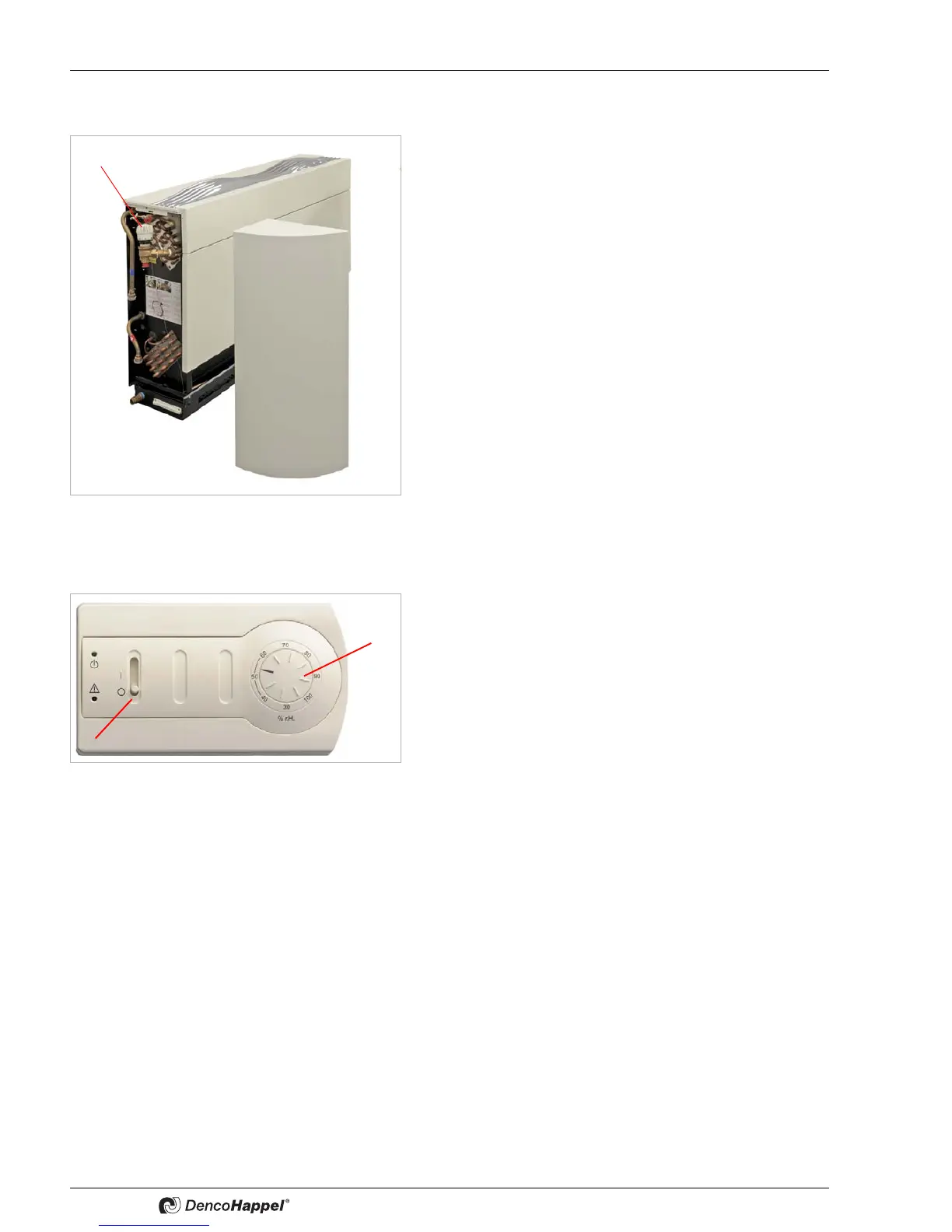
• Pull the left unit casing (1) off forwards.
• Set the thermostat valve (2) to the desired room temperature
setpoint continuously variable from 2 to 7; this is about 20 to
70°C.
5.2.3 Switch on unit
• Set the operating switch (1) to "I".
• Set the rotary knob (2) of the humidity controller to the de-
sired value:
•Select the inside air humidity depending on the physical
building conditions to preclude condensate formation on
cold inner surfaces.
•At a hall air temperature of 28°C, a water temperature of
26°C and 60% rel. humidity it is generally possible to
exclude any falling below the dew point in compliance
with the DIN 4108 as well as the VDI 2089 standards.
•For higher hall temperatures, select an appropriately lower
relative humidity.
If the relative humidity of the indoor swimming pool is above
the preset value, after about. 5 min (compressor-minimum
stop period) the compressor and the high fan speed is re-
leased.
After reaching the setpoint, the compressor (minimum runt-
ime about 5 min) is switched off and the fan automatically
continues to run at the low fan level.
This is important because the same air conditions should be
achieved in all rooms, thus also protecting your building.
If the air distribution faulty or inadequate, humidity nests can
build up in the room. This should definitely be avoided.


 To Next Page