42
PRIME GO
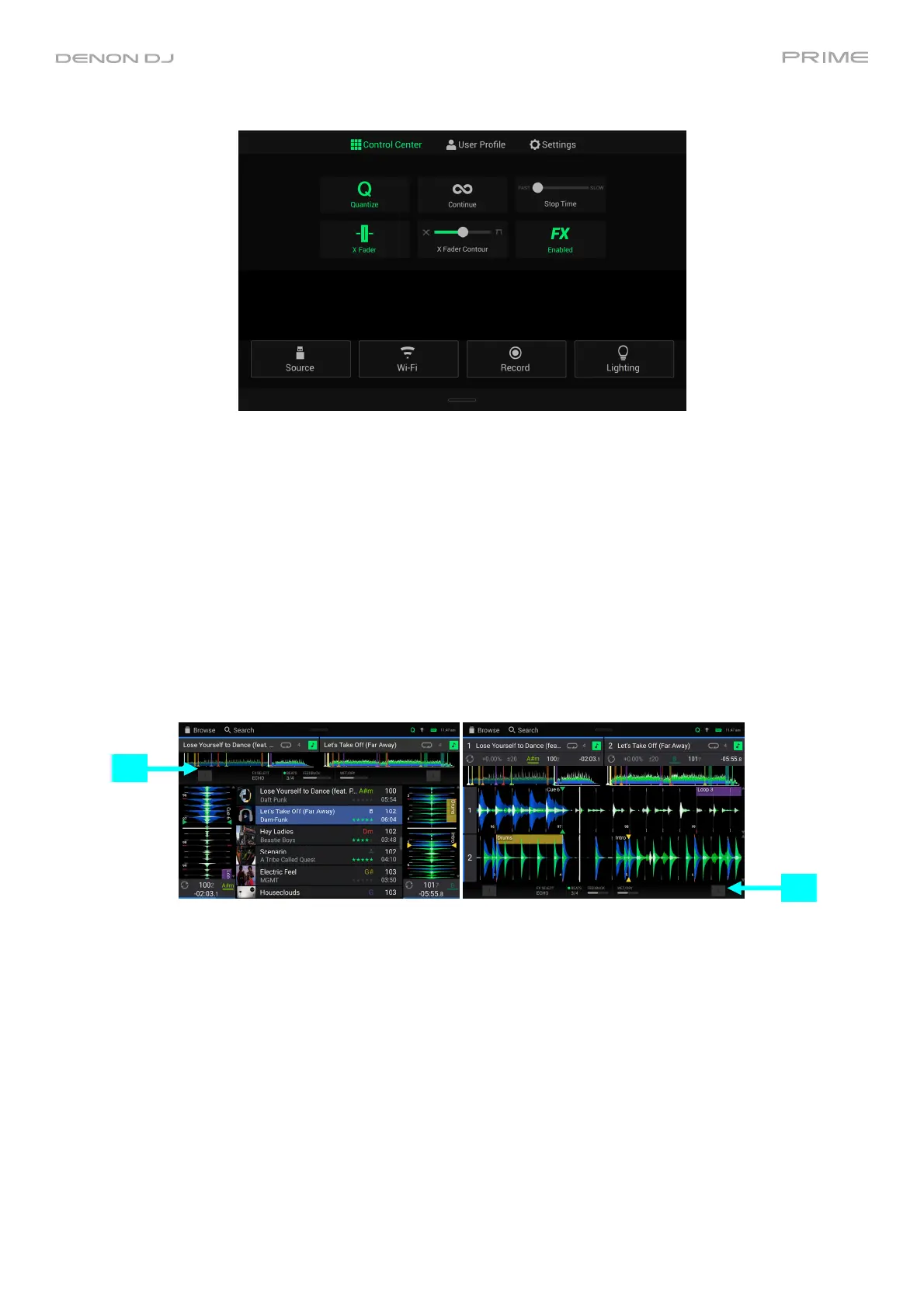
Quantize: Tap this to enable or disable quantization. When enabled, time-based features like triggering cues and
loops will snap to the beat-grid according to the Cue/Loop Quantization setting in your User Profile.
Continue: Tap this to enable or disable continuous playback, which will keep playing the next track when the active
track has ended.
Stop Time: Use this slider to adjust the stop time, or how long the track takes to stop playing after the pause button
is pressed.
X Fader: Tap this to enable or disable the crossfader.
X Fader Contour: Use this slider to adjust the slope of the crossfader curve. Slide towards the left for a smooth fade
(mixing) or slide to the right for a sharp cut (scratching). The center position is a typical setting for club
performances.
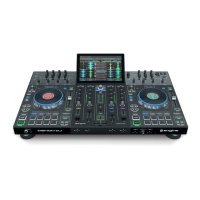
FX Enabled: Tap this to enable or disable FX 1 and FX 2. When enabled, the FX selection and parameters will be
shown under the track overview in Vertical Waveform View or at the bottom of the touchscreen in Horizontal
Waveform View:
FX
FX




 To Next Page