44
Display
• Track Title: This setting determines whether tracks titles are shown as the track's Filename or its embedded
Metadata (tags).
• Time Format: This setting determines whether or not pitch adjustment affects how the track time is displayed.
When set to Static, the track’s time corresponds to locations in the track as usual; adjusting the pitch does not
affect it. When set to Dynamic, the track’s time will automatically adjust to account for changes in pitch. For
instance, if you set the pitch fader to -8%, the track time will increase so it is 8% longer.
• Track End Warning: This setting determines how long before the end of a track PRIME 4 will warn you that it is
nearing the end. If the track is on the currently selected deck, the platter ring and track overview will flash. If the
track is on the opposite deck, the Deck button will flash.
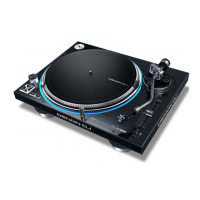
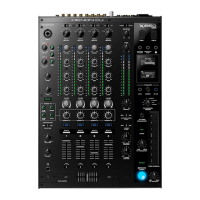
• On Air Mode (PRIME 4 only): This setting changes the platter ring illumination when the channel fader on the
PRIME 4 mixer is up or down, indicating an active or "on air" deck. When this setting is On, raising the channel
fader will change the platter color from white to the selected color. When this setting is Off, the user-selected
color will always be shown regardless of the channel fader position.
Safety
• Lock Playing Deck: This setting determines whether or not you will be able to load a track to the deck as it is
playing. Select On or Off. When this setting is on, the deck must be paused in order to load a track to it.
• Needle Lock: This setting determines whether or not you can tap the track overview in the display to jump to that
location in the track during playback. Select On or Off. You can use the track overview while playback is stopped
regardless of this setting.
• Pad Lock: This setting determines whether the pads and pad mode buttons are always enabled (Off) or disabled
(On). When disabled, the pads and pad mode buttons will not be lit.
Library
• Key Notation: This setting determines how the track key is notated in the display. You can view the key as all
Sharps, all Flats, Open Key, or Camelot
.
• Key Filter: This setting determines whether the Key filter shows tracks with the same key only (Match) or tracks
with compatible keys (Compatible).
• BPM Range: This setting determines the lowest- and highest-possible BPM values that will be used when tracks
are analyzed: 58–115, 68–135, 78–155, 88–175, or 98–195 BPM.
• BPM Filter Tolerance: This setting determines the “tolerance” of the BPM filter so you can include tracks with
tempos that are within a small range of the selected tempo. Select +0, 1, 2, 3, 5, 10, or 15.
• Collection Browse Behavior: This setting determines browsing behavior when using the Library. When set to
Select, tapping a playlist or folder will select it, and a double-tap is required to open it. When set to Open, tapping
a playlist or folder will open it.
• Demo Content: Use this option to enable or disable the pre-installed demo content from appearing on your
device.
Deck Colors
To change the deck ring color, tap the color box under the name of the deck, and then tap the color to select.













 To Next Page