20
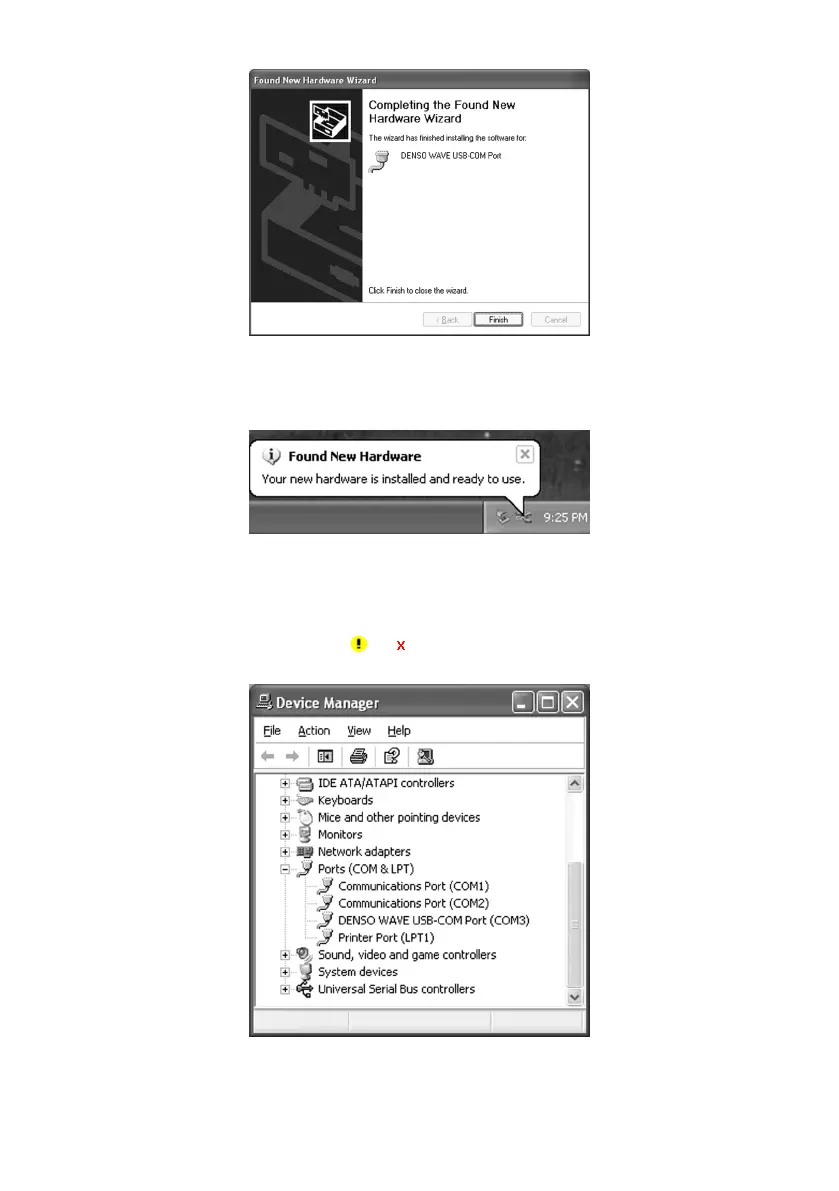
(6) If the completion screen appears, click Finish.
(7) When copying driver files is finished, the hint message "Your new hardware is installed and ready to use" appears on
the task tray.
All installation processes are completed.
(8) To make sure that the USB-COM device driver has been successfully installed, open the Windows’ Device Manager.
If DENSO WAVE USB-COM Port is added to the sub-tree of Ports (COM & LPT) as shown below, the scanner
is connected normally.
If the device is not added or it is marked with
or , remove this driver with the uninstaller, reboot your computer,
and perform the above connection process again.



 To Next Page