41
(1) Communications protocol
You can select either non-acknowledge mode or ACK/NAK mode.
Non-acknowledge mode (default)
If the CTS signal is at a high level (Enable transmission), the scanner transmits bar code data read.
Note: The configuration software provides CTS timeout settings from 100 ms to 9.9 s in 0.1-second increments.
Note: The time length required from the issue of the RTS output level change request at the host computer to the detection
of the CTS input level change at the scanner may vary depending upon the processing capability and conditions of the host
computer.
ACK/NAK mode
If the CTS signal is at high level (Enable transmission), the scanner transmits bar code data read. After that, the scanner
waits for and then processes a response.
Note: The configuration software provides CTS timeout and ACK/NAK response settings from 100 ms to 9.9 s in
0.1-second increments.
Note: The time length required from the issue of the RTS output level change request at the host computer to the detection
of the CTS input level change at the scanner may vary depending upon the processing capability and conditions of the host
computer. The same applies to the time length required from the issue of the response at the host computer to the receipt at
the scanner.
(2) CTS signal monitor
The configuration software ScannerSetting* provides two choices of the CTS signal monitor--enable or disable.
Enabling the CTS signal monitor does not output data when the RTS signal at the host is disabled.
11.3 Communication Format
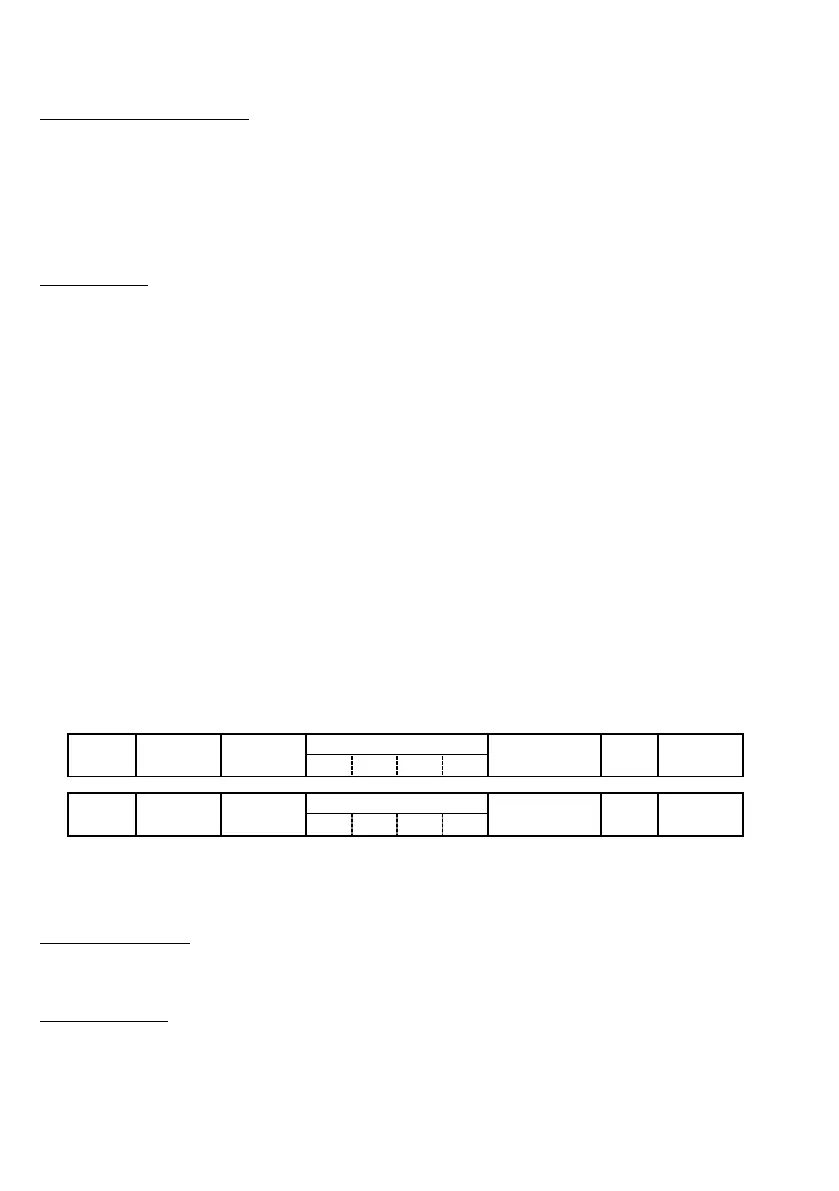
Data transmission format
Select one of the following two data transmission formats.
No. of digits
Header Code ID mark Prefix
n1 n2 n3 n4
Bar code data Suffix Terminator
No. of digits
Header Prefix Code ID mark
n1 n2 n3 n4
Bar code data Suffix Terminator
(1) Header/Terminator
The following choices are available.
USB keyboard interface
Header: None (default), TAB, ESC, ENTER or others
Terminator: None, TAB, ESC, ENTER (default) or others
USB-COM interface
Header: None (default) or STX
Terminator: CR (default), LF, CR/LF or ETX
For details, refer to Chapter 12.



 To Next Page