31
8.2 Specifying the Numbers of Digits of Standard 2of5 and Interleaved 2of5 Symbols
to Read, by Scanning Bar Codes
You can specify the numbers of digits of Standard 2of5 and Interleaved 2of5 symbols to read.
First enable the parameter "specification of the number of digits by bar code scanning" by using the bar-coded parameter
menu or configuration software. Then scan Standard 2of5 or Interleaved 2of5 symbols. The numbers of digits of symbols
scanned first and second (after you enable the parameter or turn the scanner on) will be registered in the memory.
After the registration, the scanner can read only Standard 2of5 or Interleaved 2of5 symbols having either of those specified
numbers of digits.
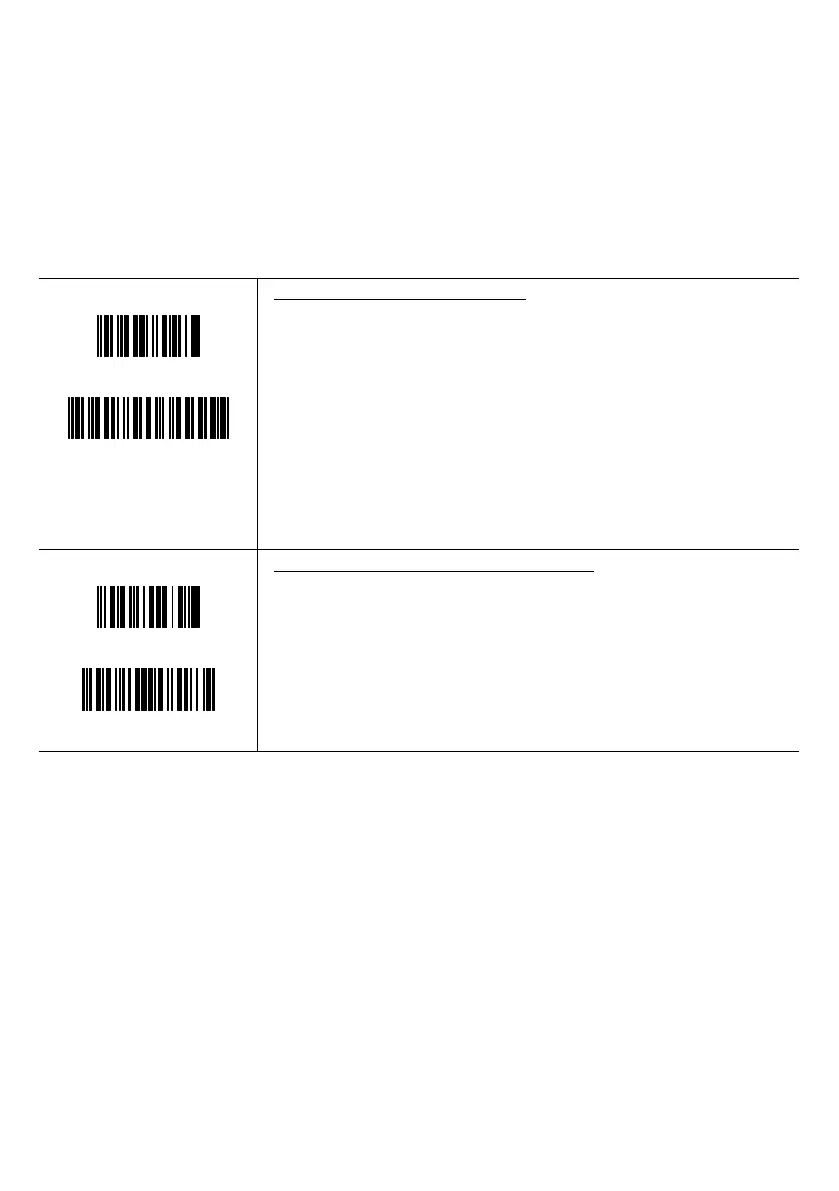
(Example)
123457
1234567895
Specifying the number of digits readable
First scan: 6-digit Interleaved 2of5 symbol
→ Just the bar code type and the number of digits will be stored in the scanner.
The code data will not be sent.
Second scan: 10-digit Interleaved 2of5 symbol
→ Just the bar code type and the number of digits will be stored in the scanner.
The code data will not be sent.
After that, 6-digit and 10-digit Interleaved 2of5 symbols only can be read.
987653
98765430
Scanning after setting the number of digits readable
6-digit Interleaved 2of5 bar code
→ This bar code can be read.
8-digit Interleaved 2of5 bar code
→ This bar code cannot be read.



 To Next Page