19
Installing the RS-485 Adapter on a
Computer
NOTE: If ViewPoint was installed first, it needs to be restarted following an RS-485 driver installation. If
an RS-486 port does not appear in the drop-down list, the RS-485 was not installed correctly.
1) Insert the CD that came with the RS-485 adapter into your computer.
2) Insert one end of a USB cable into the RS-485 adapter and the other end into a USB port on the
computer.
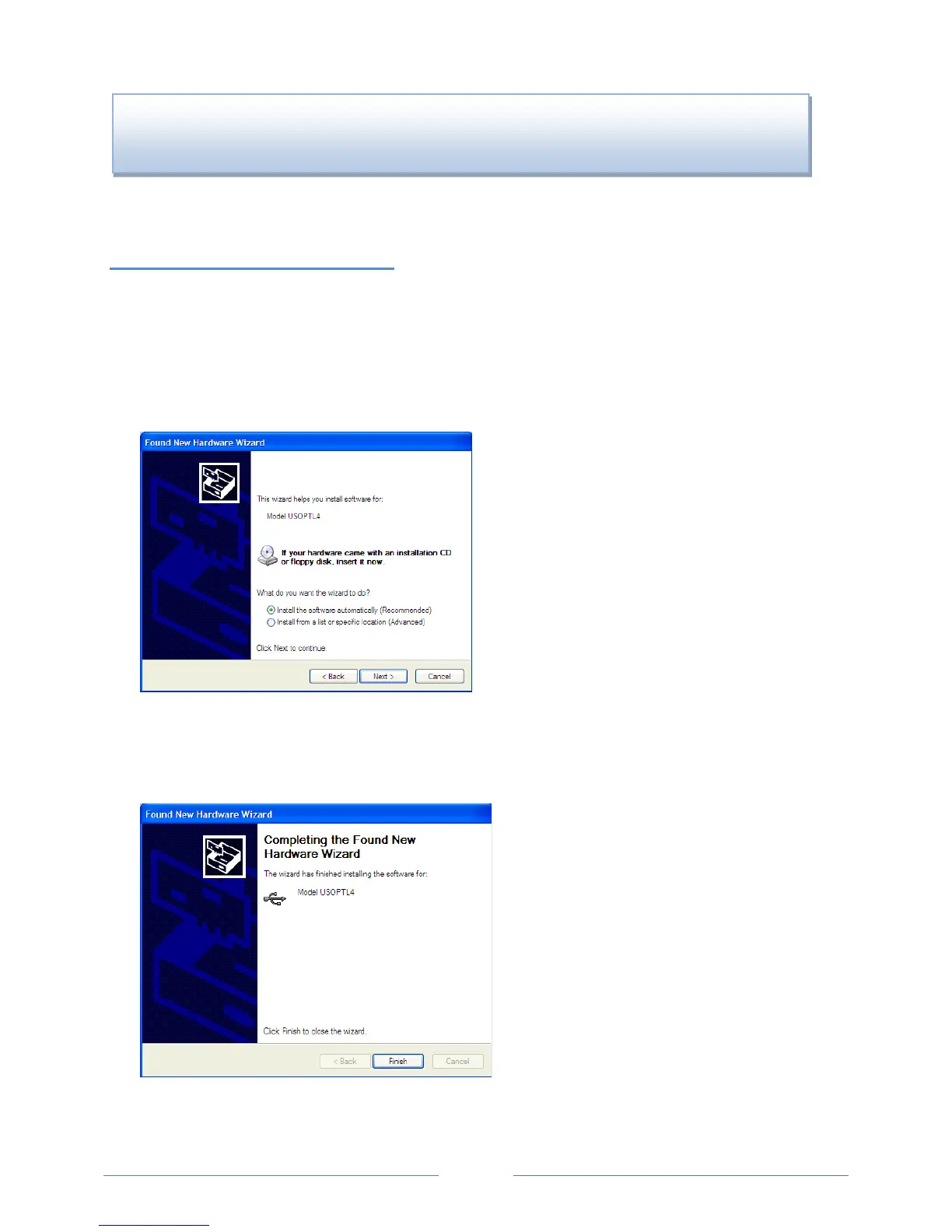
3) The Found New Hardware Wizard window appears.
T
he window states “This wizard helps you install software for: Model USOPTL4,” and asks “What do
you want the wizard to do?”
4) Select Install the software automatically and click Next.
5) Click Finish when the installation is complete.
6) Remove the CD from your computer.
DID YOU KNOW? If an RS-485 adapter is used instead of a USB, an RS-485 driver must be installed
on your computer and power applied to the PowerScout meter before the software will function
www.GlobalTestSupply.com
Find Quality Products Online at: sales@GlobalTestSupply.com



 To Next Page