- 31 -
4. Connecting the load
4-1 Voltage selector switch
CAUTION
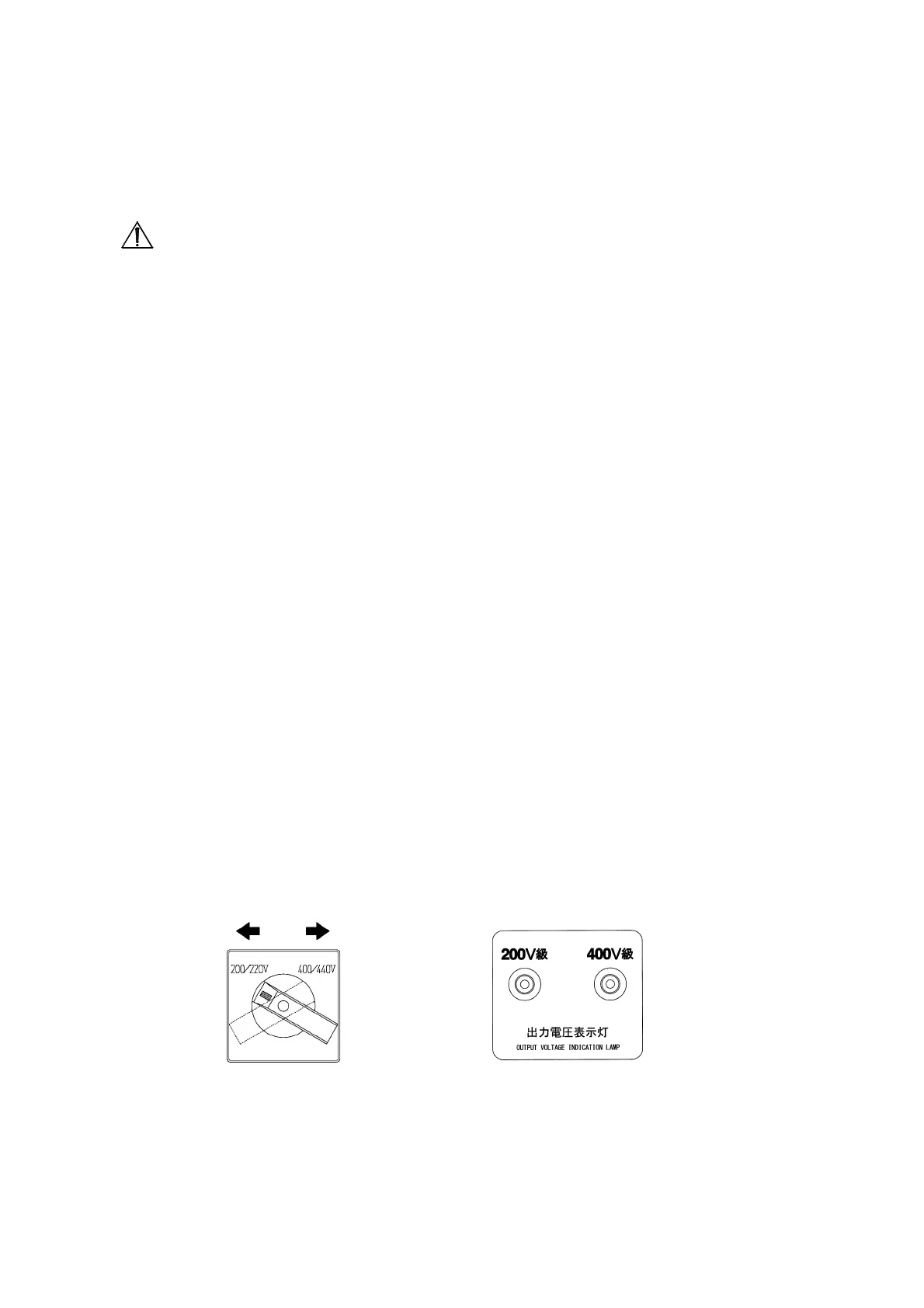
VOLTAGE SELECTOR SWITCH
■ Make sure the Load Circuit System and the Output Terminal Connection are matched.
Unmatched connection will cause damage to the load side and the generator.
■ Never change the position of the Voltage Selector Switch while the engine is running. Always
switch OFF the circuit breaker and stop the engine before selecting voltage.
The Voltage Selector Switch is located at the right side of the control box. Use this switch to set
the output voltage to 200V or 400V.
Check the Voltage Selector Switch position or the Voltage Selector Indicator Lamp to confirm the
output voltage. Note that the indicator lamp can only turn ON when the starter switch is in
"PREHEAT・RUN" position.
Switching the output voltage:
(1) Turn "OFF" all the circuit breaker/protector and turn the starter switch to the "STOP" position
and the engine will stop.
(2) Move the handle cover by removing the screw on the handle cover.
(3) Switch the handle to the appropriate output voltage.
(4) Move the starter switch to the "PREHEAT・RUN" position, check if the voltage selector indicator
lamp is showing the selected output voltage and then turn the starter switch back to "STOP"
position.
(5) Put back the handle cover and fast the screw on it.
(6) Refer to 4-3 Connecting the load for proper connection instruction.
200V class 400V class
Voltage selector switch Output voltage indication lamp


 To Next Page