SecurAccess Compact – User Guide 30
11. HOW TO USE IT
11.1. Calling
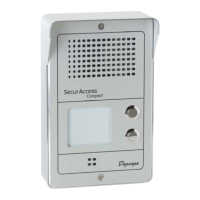
To go off-hook, simply press any of the off-hook/memory buttons. The unit will automatically turn to
“speakerphone” mode and the number stored into its memory will be dialled out.
If the other party does not answer and if several numbers have been stored into this memory, the unit
will automatically the following number stored. If chain dialling is activated, the sequence of number
will be repeated several times (see “Chain dialling” section § 4.7.).
The conversation will be held in the “speakerphone” mode.
When the call is over, you can hang up the SecurAccess Compact by pressing again the off-hook
memory button or, the unit will automatically hang up by detecting busy tone or a reversed polarity.
11.2. Answering a call
Each time the unit is called; the ringer will be activated except if a no ring setting has been selected.
To answer a call, press any of the off-hook buttons or let the unit go automatically off-hook once the
number of selected rings before automatic answer has been reached.
Once off-hook, the conversation will be held in the “speakerphone” mode.
When the call is over, you can hang up the SecurAccess Compact by pressing again the off-hook
memory button or, the unit will automatically hang up by detecting busy tone or a reversed polarity.
11.3. Automatic line disconnection
This may happen during the dialling process or during a conversation in the following cases:
1. When pressing again one of the “off-hook” buttons.
2. No answer duration elapsed.
3. Timed conversation duration elapsed.
4. The other party hangs up and reversed polarity is detected.
5. Busy line tone detection (440 Hz).
6. No speech and no noise on line during 5 minutes.
11.4. Door latch activation
A party called by the SecurAccess Compact can activate the door latch relay by entering the 4 digits
stored code on a tone telephone keypad.
- If a wrong code is entered, 1 “beep” tone will be emitted, the unit will not hang up waiting for the
right code.
- If a right code is entered, 2 “beep” tones will be emitted, the door latch will be activated and the unit
will hang up.
If the “fast opening” selection is activated, entering “0#” or “0*” will be enough to activate the door
latch.
Note: the door latch code can be stored in a one touch memory button of the called party.
Caution: activation of this code requires a Tone compatible telephone and PABX.


 To Next Page