SecurAccess Compact – User Guide 41
15. Templates for front plate customization
Customization:
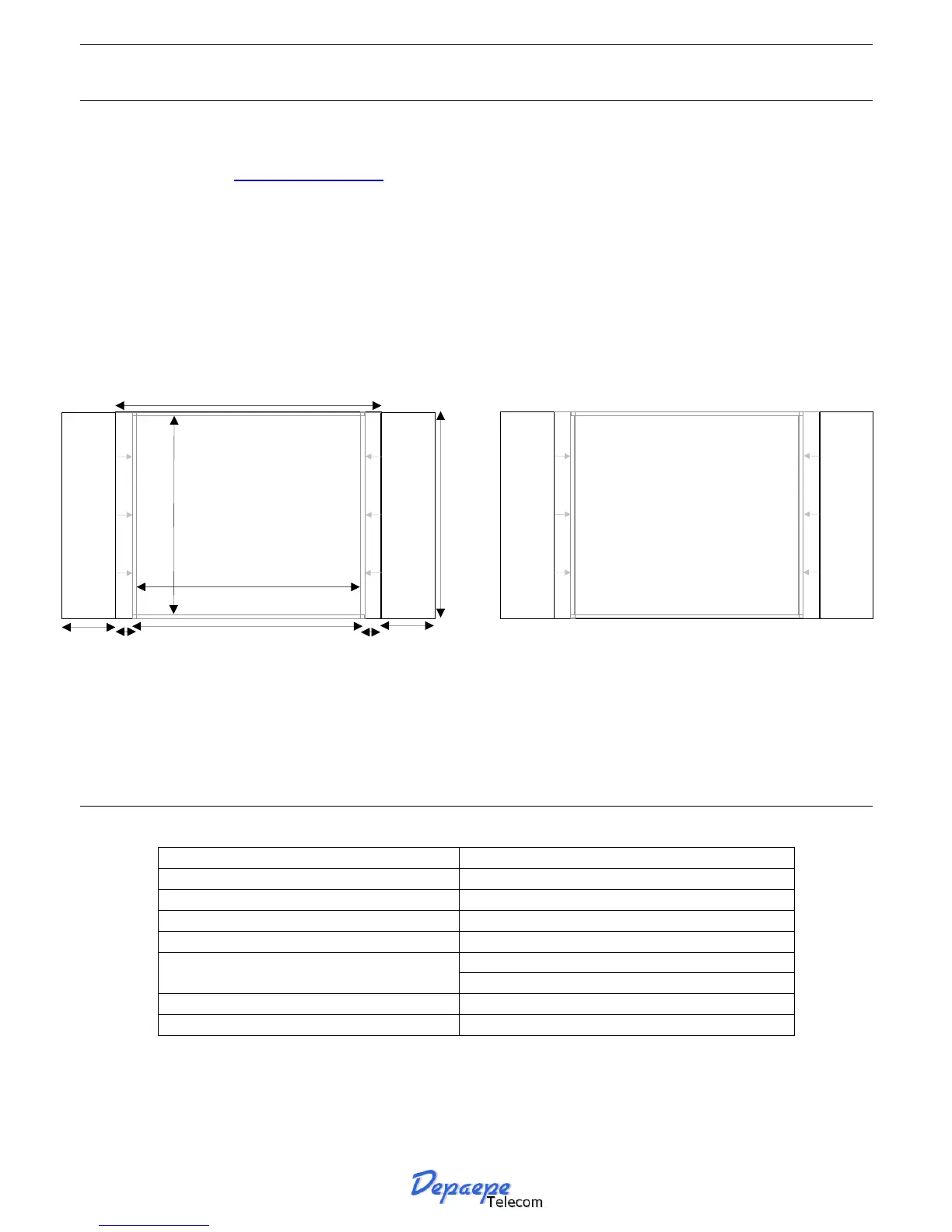
Print your custom made label:
Visit our website at www.depaepe.com check for SecurAccess Compact section.
Select your appropriate template, fill in with your logos and text and print your own custom face plate.
Cut and fold as shown.
Installation:
Open the SecurAccess Compact case.
Slip your customized face plate into the slot on the right side of the glass protection. Use the folded
part to guide it thoroughly, adjust and cut if necessary. Make sure, if you will use the label backlight,
that the buttons connection wires do not dim the led backlight.
16. Specifications
Dimensions : 130 x 205 mm in the surface mount option
Weather protection : complies with IP65
Working temperature range : -20° up to 50° (Celsius)
Door latch relay contact: up to 60 VA and 2A maximum
Ringing voltage: 25 Volts RMS Power feed behind PABX :
Off-hook current: 15 mA minimum
Dialling mode: Tone or Pulse
►
F
O
L
D
H
E
R
E
►
4 mm
4 mm
13 mm
56 mm
49,8 mm
64 mm
54 mm
48 mm
13 mm
►
F
O
L
D
H
E
R
E
►


 To Next Page