SecurAccess Compact – User Guide 38
12.14. Reset
Caution: this operation switches back the unit to all factory settings; it also erases all numbers stored
in memories. This operation can be done locally or remotely.
Local reset:
1. Open the unit and access to the PCB
2. Connect the unit to a powered telephone line.
3. Depress the RAZ button located on the PCB for at least 4 seconds (see page 5)
4. The unit starts emitting several “beep” tones during the reset
5. When the unit stops emitting “beep” tones, this means the reset is completed, the unit is back
to factory settings, including the programming code access (0000).
Remote reset:
1. Call the SecurAccess Compact and enter the programming mode (see § 4.2.)
2. Select the reset setting choice code (91) and enter the programming access code and
terminate by entering *9.
3. The unit will start emitting “beep” tones during the reset
4. When the unit stops emitting “beep” tones, this means the reset is completed, the unit is back
to factory settings, including the programming code access (0000).
5. The unit will automatically hang up.
13. Special features
13.1. Shunt regulation
The unit is fitted with an automatic gain control system for plain old classical telephone lines.
In some cases, with very long lines or poorly powered lines (ATA, Operator modems, etc), the unit
may work poorly and it might be useful to shunt this regulation in order to recover more power and
ensure good working conditions. See page 26.
13.2. Led lighting
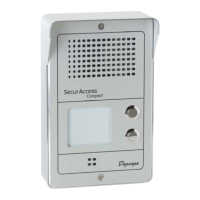
The SecurAccess Compact comes with 1 or 2 off-hook buttons and one label display which can be
lighted. Buttons and label display backlighting require an external power supply (12 to 32 volts DC or
AC 200 mA (TRT3) and the activation of a switch located on the PCB (see diagram below).
13.3. Speaker overboost
In very noisy environments, receive sounds from the speaker can be amplified by 9 to 11 dB.
This feature requires an external power supply (TRT3 12 to 32 Volts AC or DC and the activation of a
switch located on the PCB (see diagram below).


 To Next Page