LCC_LCD1-16/51 Oven Owner’s Manual C244, 320207, REV B
©2021 ITW EAE. All rights reserved. Despatch is a registered trademark in the U.S. and other
countries. No part of the contents of this manual may be reproduced, copied or transmitted in any form
or by any means without the written permission from ITW EAE - Despatch, unless for purchaser's
personal use.
6.5. Latch Opening for the LCC/LCD 1-51
6.5.1. To Open the LCC/LCD1-51 Oven Door
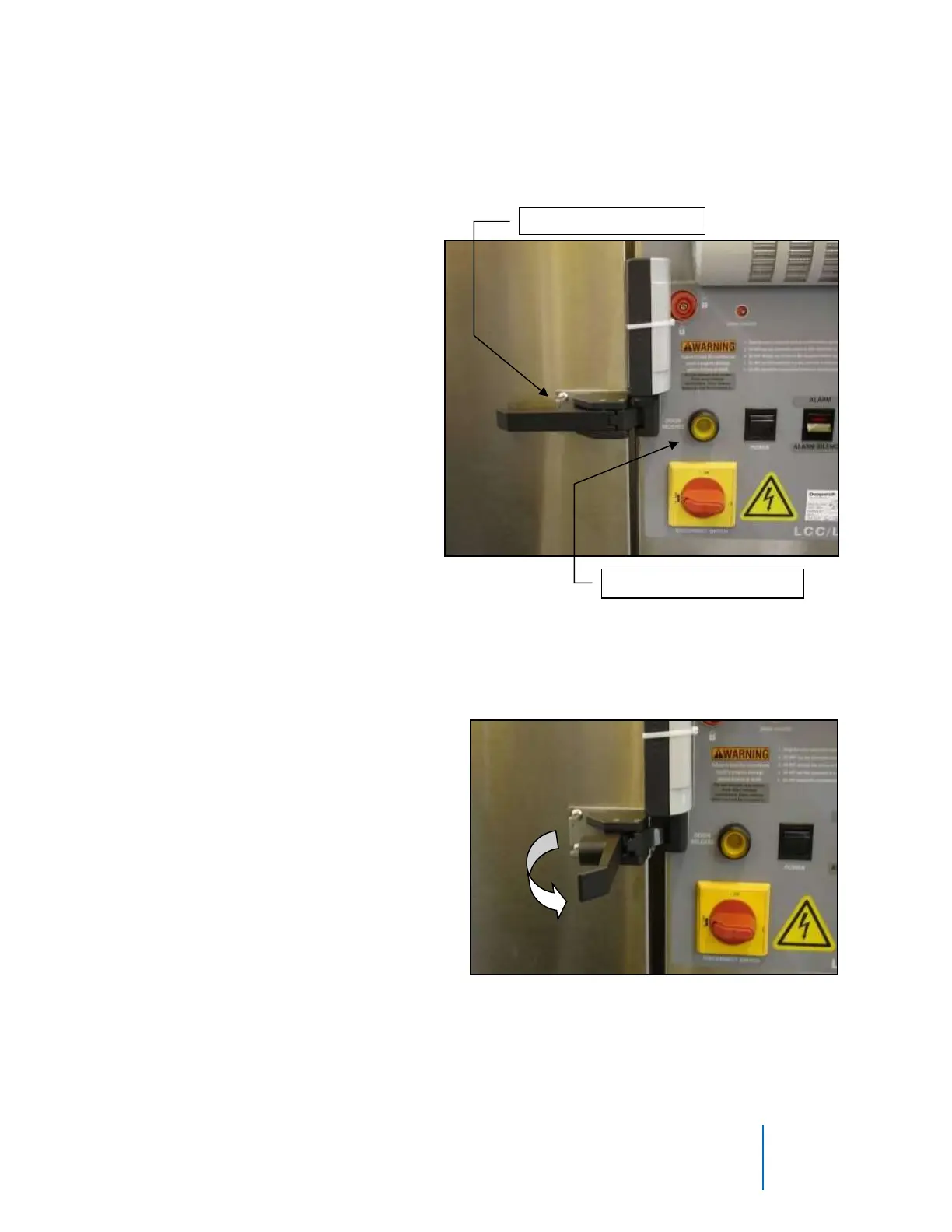
1. Press and hold DOOR RELEASE (Figure 24).
2. Lift handle while holding DOOR RELEASE (Figure 25).
Figure 24. Press and hold DOOR RELEASE.
Figure 25. Pull handle out away from door.



 To Next Page