LCC_LCD1-16/51 Oven Owner’s Manual C244, 320207, REV B
©2021 ITW EAE. All rights reserved. Despatch is a registered trademark in the U.S. and other
countries. No part of the contents of this manual may be reproduced, copied or transmitted in any form
or by any means without the written permission from ITW EAE - Despatch, unless for purchaser's
personal use.
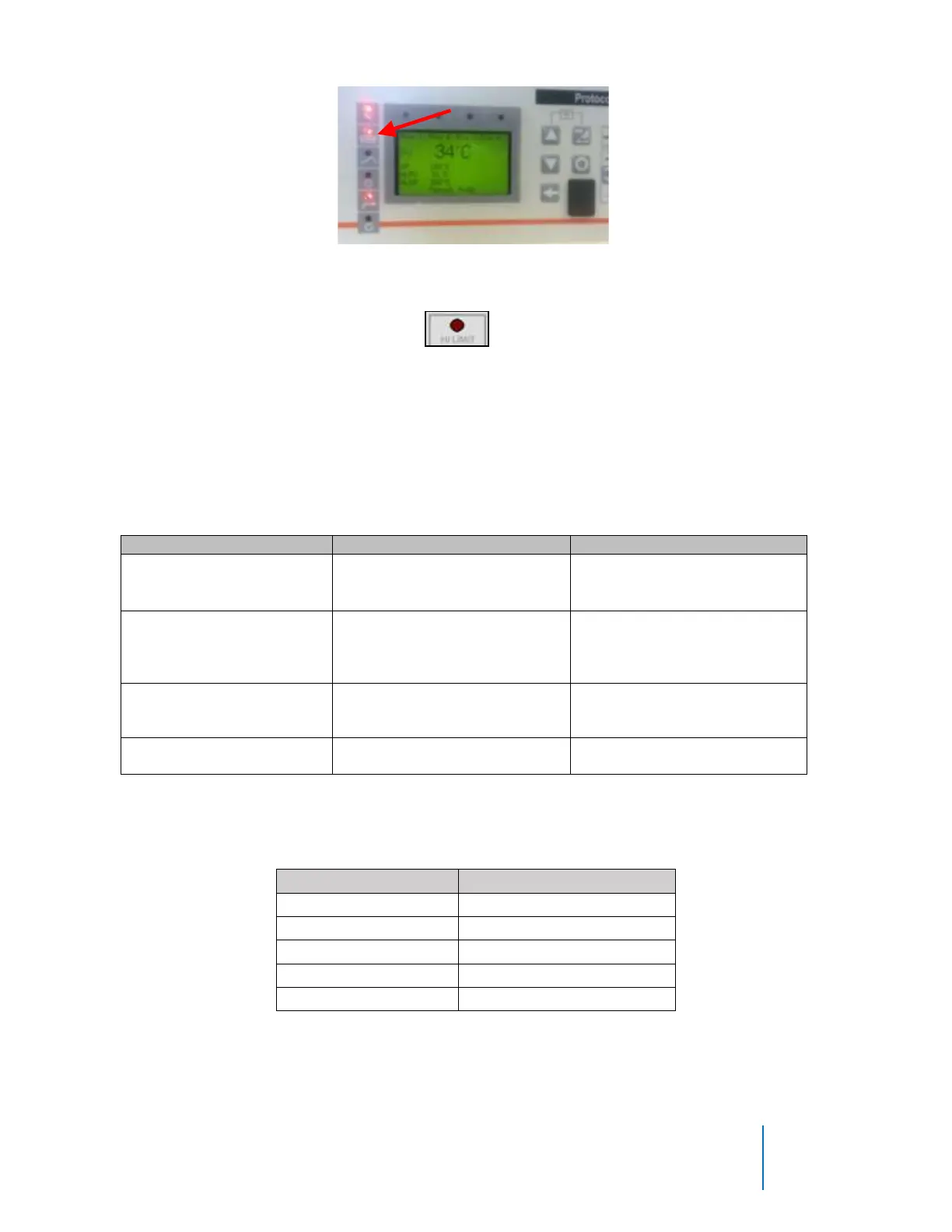
Figure 29. Protocol 3 Heater ON Indicator Light.
Check high limit safety status light, , on the right button/indicator light
column. High limit light should not be ON. If light is on, reset high limit and test
oven again.
Table 12 lists common error messages, possible problems and remedies. Refer to
Protocol 3 manual for further troubleshooting hints.
Table 12. Error Messages, Possible Causes, and Remedial Steps.
• Problem with thermocouple
• High Limit setpoint has
been exceeded.
Once the problem has
corrected, press RESET.
Oven temperature has not
entered (or dropped out of) the
Auto Hold band and the soak
timer has stopped
Program a slower ramp rate or
if oven is not heating check
heater circuit.
Control thermocouple is
disconnected or broken
Repair or replace the
thermocouple.
High Limit thermocouple is
disconnected or broken
Repair or replace the
thermocouple.
Functions assigned to the five Protocol 3
TM
relays are listed on Table 13.
Table 13. Relay Assignments



 To Next Page