Model TP-700
TP-700 Instruction Manual Rev. 4.1 Page 14 of 42
3. Operation
3.1 Programming Magnet Operating Instructions
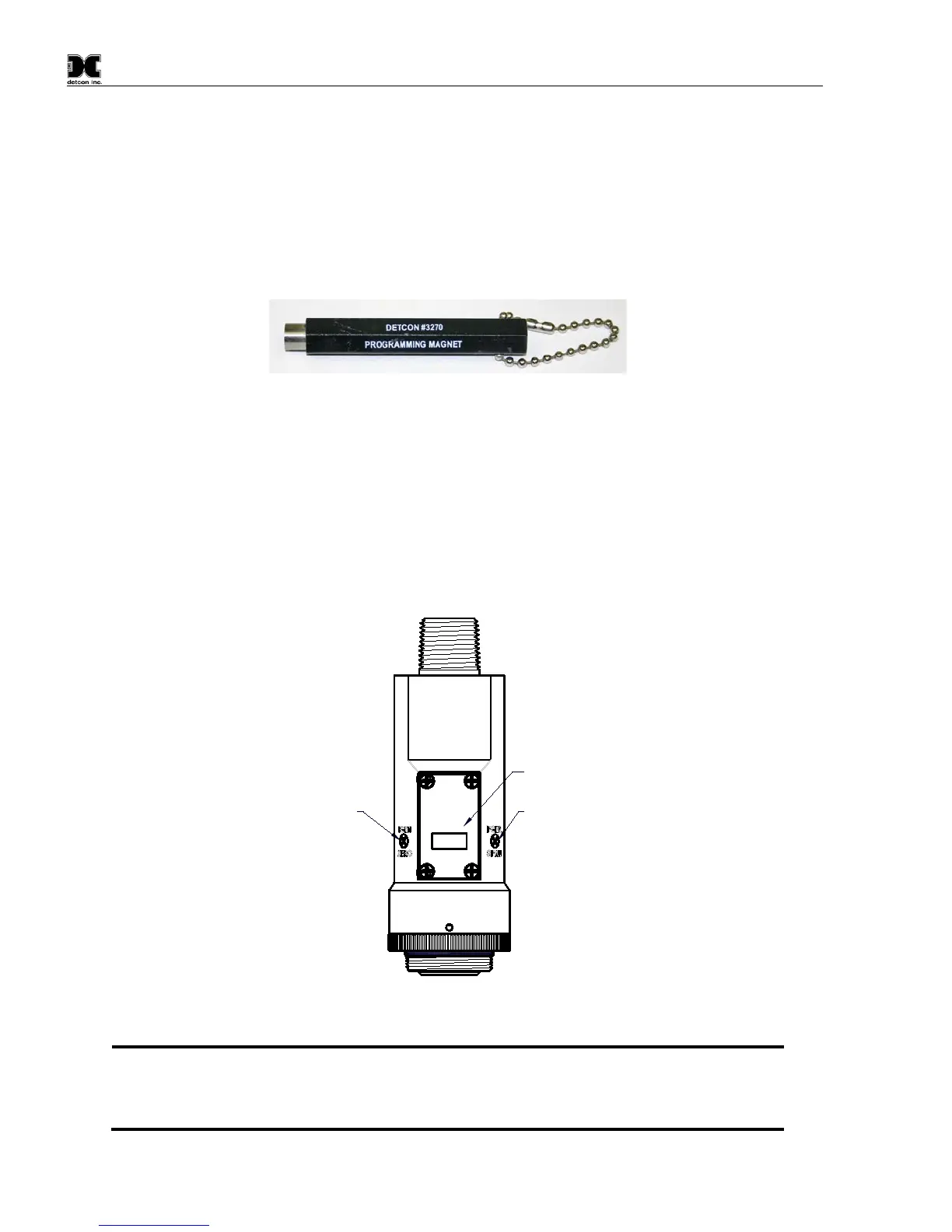
The Operator Interface of the Model 700 Series gas sensors is accomplished via two internal magnetic switches
located to either side of the LED display (see Figure 13). The two switches, labeled “PGM1” and “PGM2”,
allow for complete calibration and configuration, thereby eliminating the need for area de-classification or the
use of hot permits.
Figure 12 Magnetic Programming Tool
The magnetic programming tool (Figure 12) is used to operate the magnetic switches. Switch action is defined
as momentary contact, 3-second hold, and 10-second hold. (Hold times are defined as the time from the point
when the arrow prompt “►“ appears.) For momentary contact use, the programming magnet is briefly held
over a switch location. For 3-second hold, the programming magnet is held in place over the switch location for
three seconds. For 10-second hold, the programming magnet is held in place over the switch location for 10
seconds. The 3 and 10 second holds are generally used to enter calibration/program menus and save new data.
The momentary contact is generally used to move between menu items and to modify set-point values. Arrows
(“►” and “◄”) are used on the LED display to indicate when the magnetic switches are activated. The location
of “PGM1” and “PGM2” are shown in Figure 13.
Program Switch #1
LED Display
Program Switch #2
MODEL
TP-700
detcon inc.
H
2S Sensor
Figure 13 Magnetic Programming Switches
NOTE: While in the Program Mode, if there is no magnetic switch interaction after 4 consecutive
menu scrolls, the sensor will automatically revert to normal operating condition. While changing
values inside menu items, if there is no magnet activity after 3-4 seconds the sensor will
revert to the menu scroll. (Exception to this is with “Signal Output Check” mode.)



 To Next Page