EasyManua.ls Logo

Devatec ElectroVap - Communication Interface Setup; Remote Information Board Wiring; RS485 Hardware Connection

Devatec ElectroVap
56 pages
Print Icon
To Next Page IconTo Next Page
To Previous Page IconTo Previous Page
Loading...
ELECTROVAP® ELMC
25
3.8.1 Remote information board
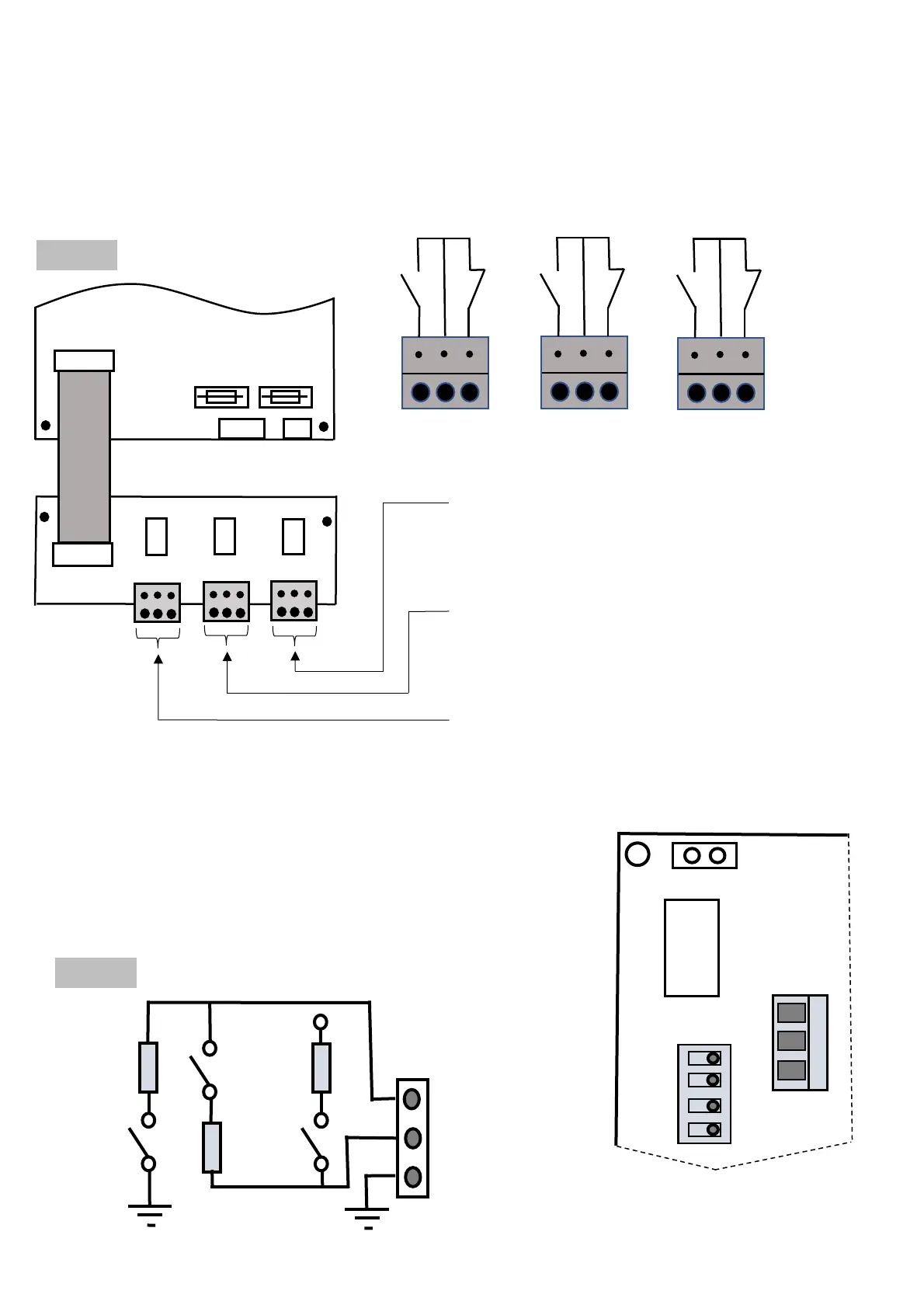
The contact can be changed to NO or NC by wiring according to the following diagrams (e.g. wiring on 30 & 31 = NO
contact).
3.8.2 RS485 Hardware connection
RS485 connection must be plugged on the J2 connector:
Terminal 1: Data -
Terminal 2: Data +
Terminal 3: GND
The SW1 switch is used to turn line resistance on or off. Depending on your
needs, these resistances can be activated or deactivated (see diagram).

X22 Connector (36-37-38): Remote
steam production dry contact.
X21 Connector (33-34-35): Remote
general fault dry contact.
X20 Connector (30-31-32): Remote tank
maintenance dry contact.
1
2
3
4
3
2
1
J2
SW1
On
Off
K4A
X10
Main board /
Carte
Principale
SW12
J2
1 : Data
2 : Data +
3 : GND
+5V
680
SW13
120
SW11
680
Carte Principale /
Main board
Ref : 500102
X18
Ref 500400
500400
X23
X20
X22
X21
X2
0
30 31 32
X2
1
33 34 35
X2
2
36 37 38
NO
NC
NC
NC
NO
NO
Fig. B 3-8.
Fig. A 3-8.

Other manuals for Devatec ElectroVap

Related product manuals