Before operation, please check that your installation complies with the
manufacturer's technical recommendations. Check all power cables electrical
connections. Remove the blocking blue foam ring from the tank.
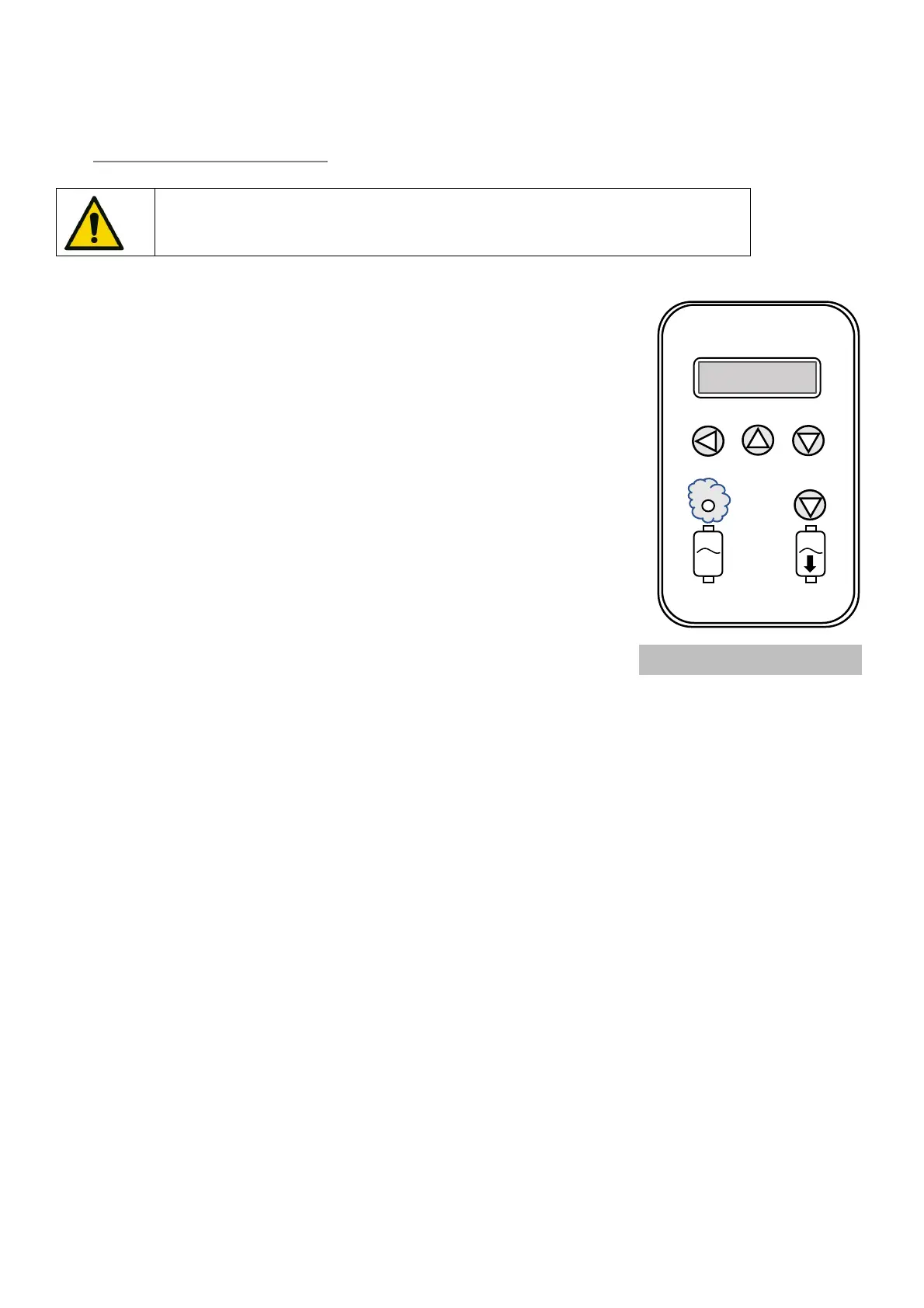
Marker 1: Validation & change menu button
Marker 2: Upward button
Marker 3: Downward button
Marker 4: Manual drain button for maintenance
Marker 5: LED = Steam production indication
• Open the main water supply valve.
• Switch on the main power supply (power and control voltages).
• Switch on the unit switch.
• If the unit asks you for a commissioning code, note the serial number on the
nameplate and contact your agent to obtain this code.
• Enter your three-digit code by doing this:
Press one of the keys 1, 2, 3 and the display will show you 0XX, with the flashing zero to eventually change it by
pressing 2 or 3.
Once arrived at your digit, validate it by pressing key 1 and your second digit flashes. Repeat the previous two
operations to show the last two digits.
Very important: don't forget to validate the last digit.
• Enter water quality in the displayed menu.
• The device is ready to respond any production request.
• During steam production, the LED (5) lights up


 To Next Page