5
Configuring printer driver settings
5-10 ineo 160
5.3.2 Watermark
Use the settings in this group box to select the watermark text (such as
“CONFIDENTIAL”, “DRAFT”, etc.) and to control whether it is printed on all
pages or only the first page.
Watermark list
Click the down arrow button, and then select the watermark text from the list
that appears.
First Page Only
Select this check box when you want the watermark to be printed on the first
page only. Clear the check box to print the watermark on all pages.
2
Note
The
First Page Only
check box is not available if “<None>” is selected in
the
Watermark
list.
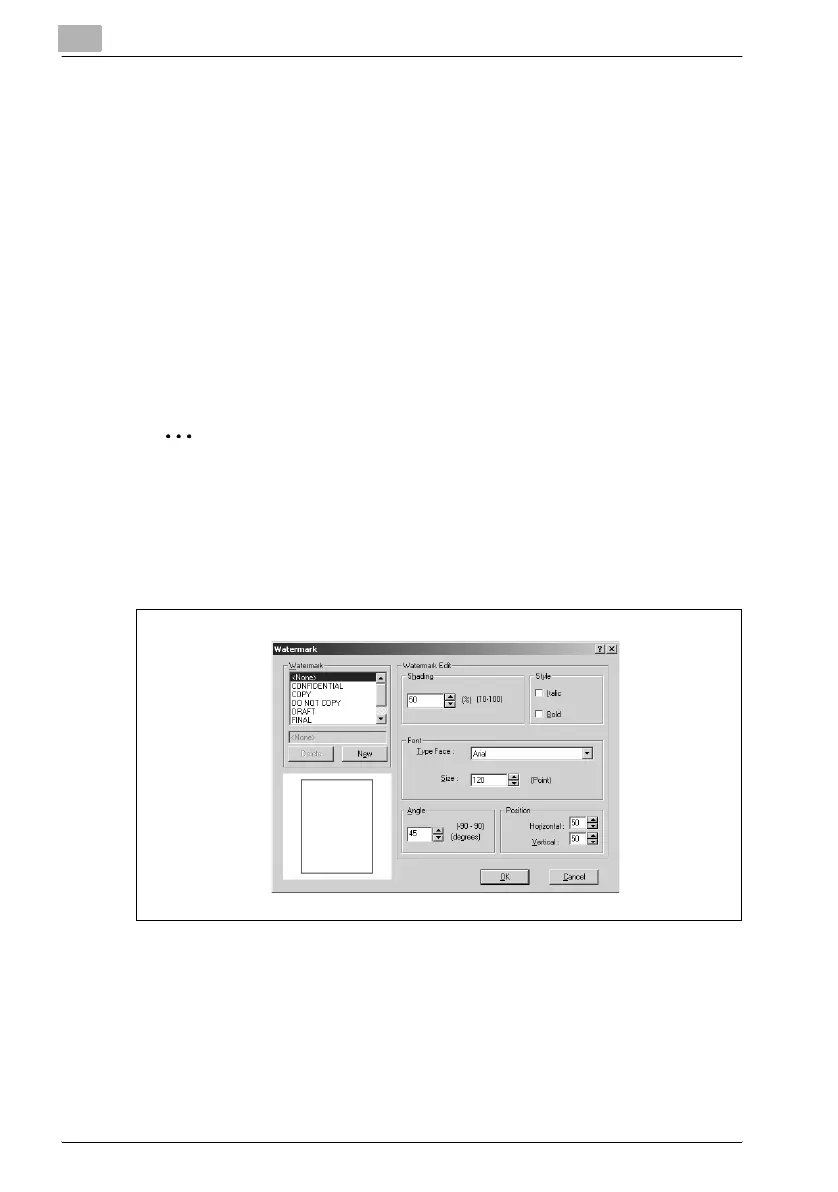
Edit Watermark
Clicking this button displays the “Watermark” dialog box.
How to edit a watermark
1 To edit a watermark, click the name of the watermark to be edited from
the Watermark list.
2 Make any settings you want.



 To Next Page