6
Control panel operations
6-6 ineo 160
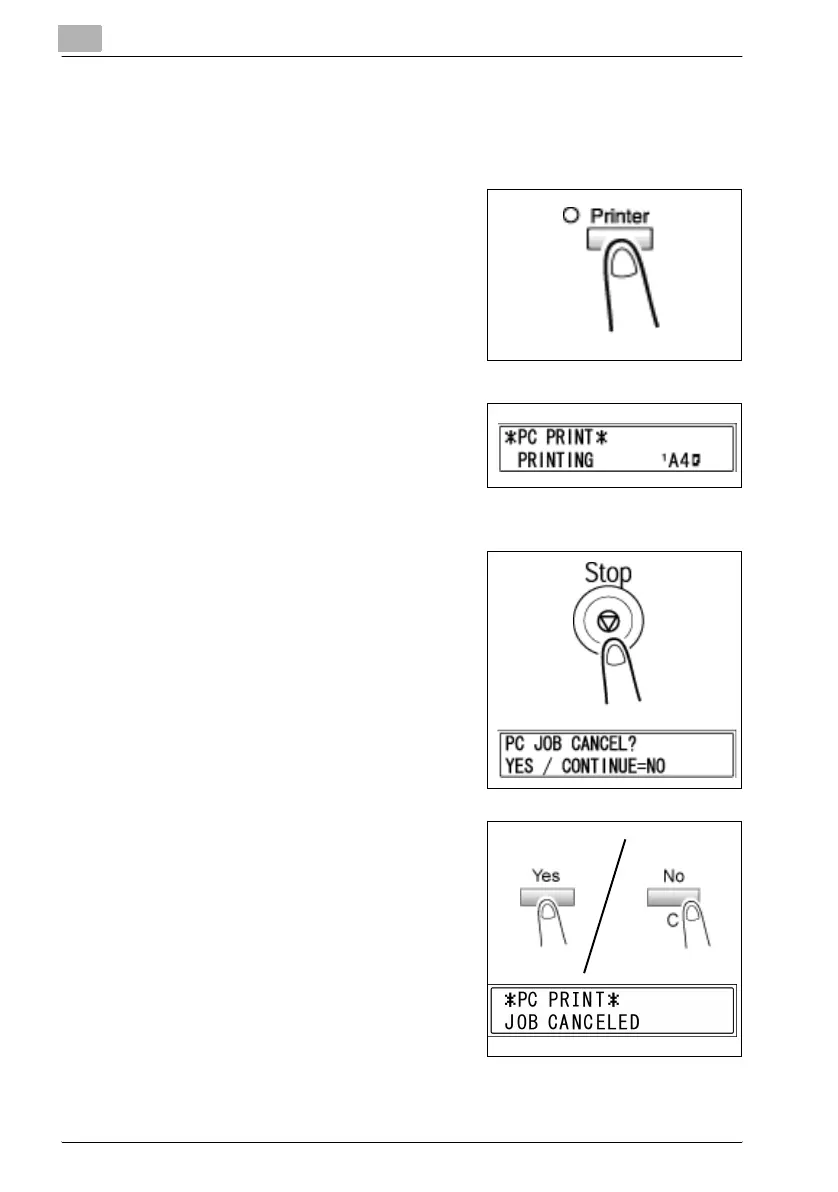
Canceling a print job
You can cancel a print job from the control panel of the machine only while
the machine is in the PC print mode.
1 Check that the [Printer] indicator is
flashing or is lit, and then press the
[Printer] key.
2 Make sure the machine’s display
shows *PC PRINT* PRINTING or
*PC PRINT* RECEIVING.
– The message that appears differs
depending on the status of the machine.
3 Press the [Stop] key.
The PC JOB CANCEL? confirmation
message appears.
4 Press the [Yes] key to cancel the
print job.
– Press the [No/C] key to resume
printing.
– If no key is pressed within 5 sec-
onds, printing will resume.
JOB CANCELED appears on the
display and the print job is canceled.



 To Next Page