5
5-24 ineo+ 224/284/364/454/554
[Bkgd. Removal]
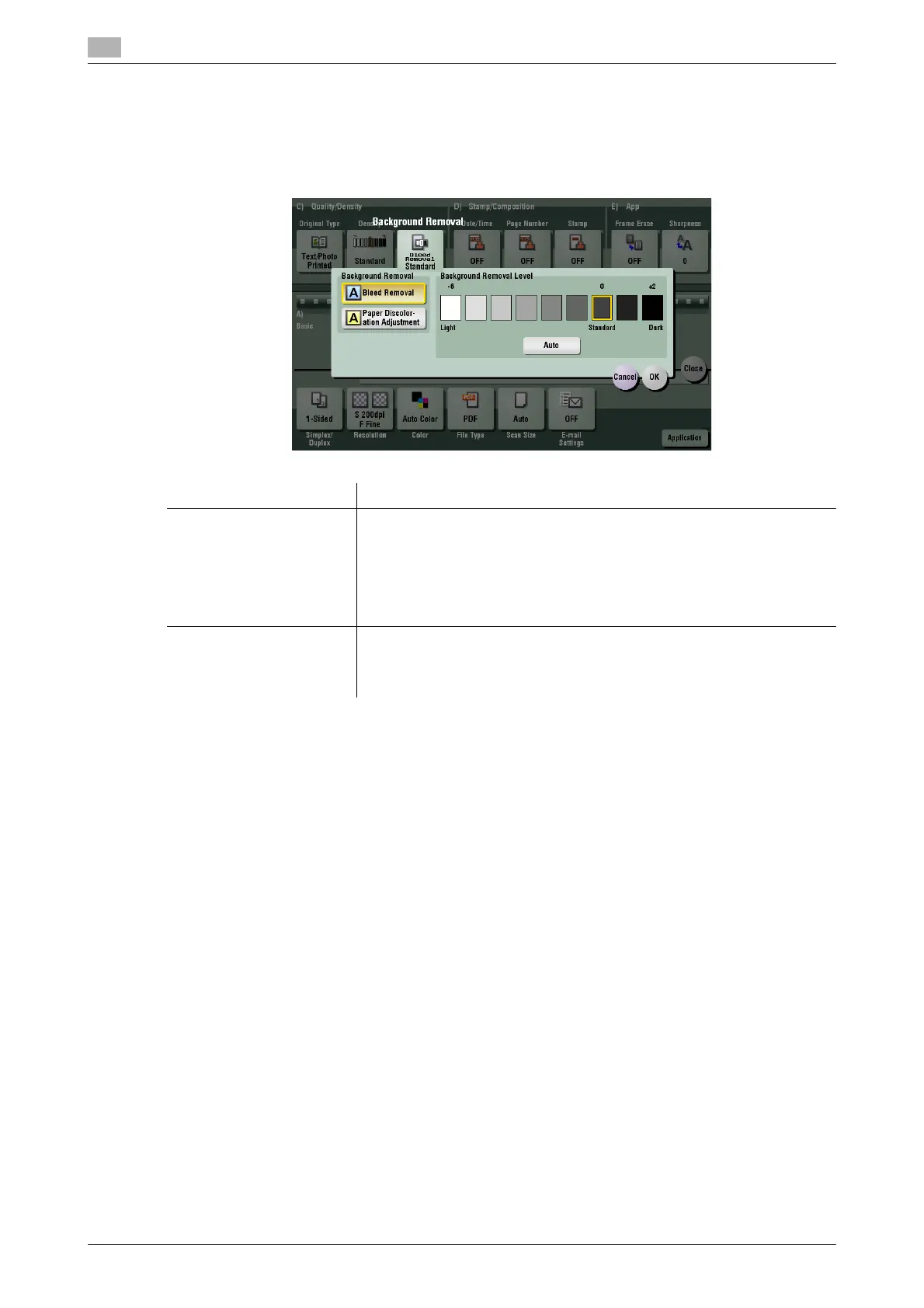
To display: [Scan/Fax] - [Application] - [Quality/Density] - [Bkgd. Removal]
Adjust the density of the original with the colored background (newsprints, recycle paper, etc.) or the back-
ground of an original that is so thin that text or images on the back would be scanned.
Settings Description
[Background Removal] Press this button to scan a thin 2-sided original or an original with a colored
background at the optimal level of image quality.
• [Bleed Removal]: Select this option to prevent bleeding of the back of
the paper when printing a 2-sided original that is so thin that the con-
tents of the back side would be scanned.
• [Paper Discoloration Adjustment]: Select this option to scan an original
with a colored background such as a map.
[Background Removal Lev-
el]
Press this button to adjust the density of the background color for an orig-
inal with a colored background. Selecting [Auto] automatically determines
the density of the background color, and scans an original at the optimum
background density.



 To Next Page