ineo+ 224/284/364/454/554 5-27
5
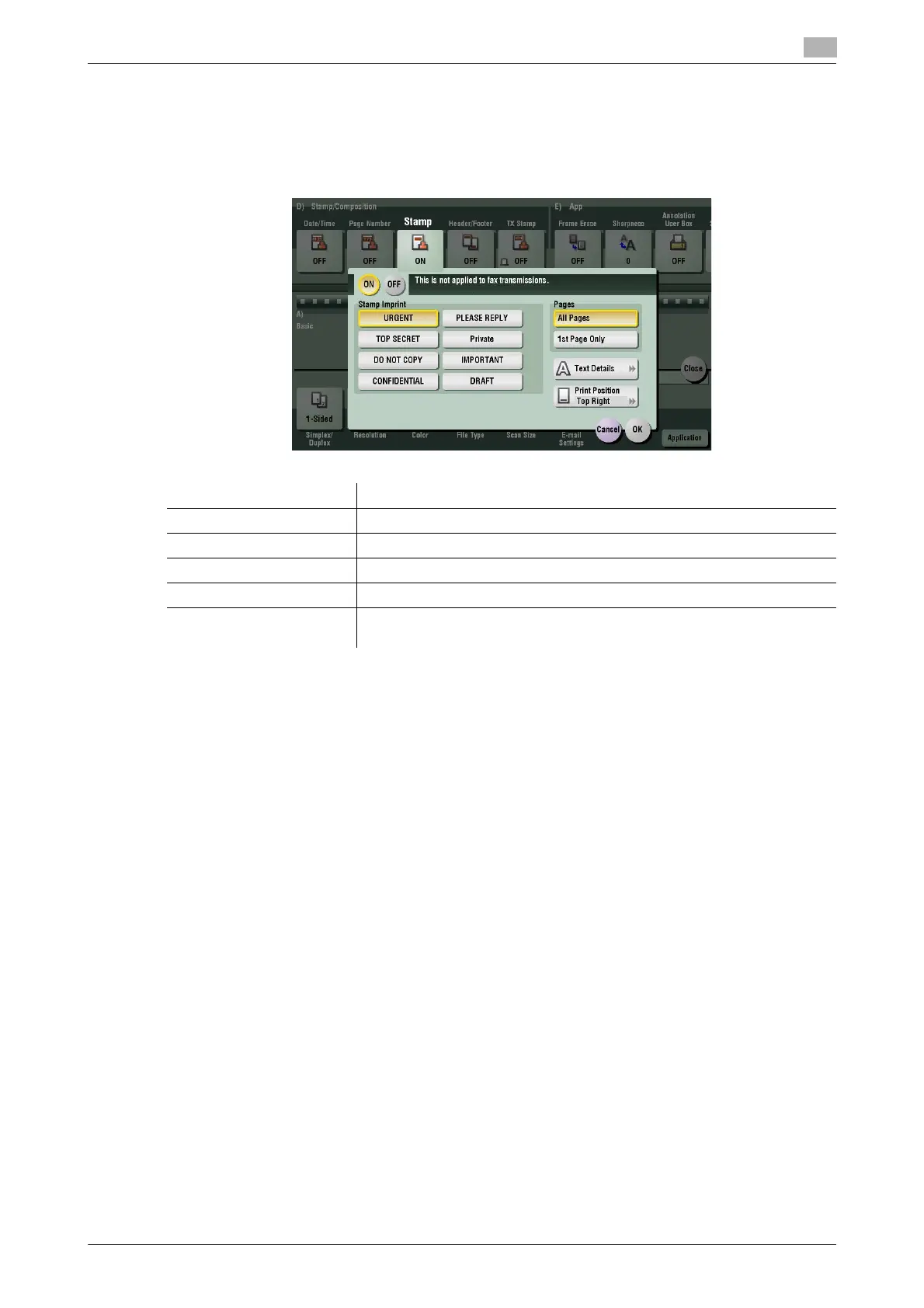
[Stamp]
To display: [Scan/Fax] - [Application] - [Stamp/Composition] - [Stamp]
Text such as "PLEASE REPLY" and "DO NOT COPY" are printed on the first page or all pages. You can select
the text to be added from the registered fix stamps and arbitrary registered stamps.
Settings Description
[ON]/[OFF] Select [ON] to print a stamp.
[Stamp Imprint] Select the stamp you want to print.
[Pages] Select the range of pages to print.
[Text Details] If necessary, select the print size and text color.
[Print Position] If necessary, select the print position of the text. You can adjust the print
position in [Adjust Position] more finely.



 To Next Page